

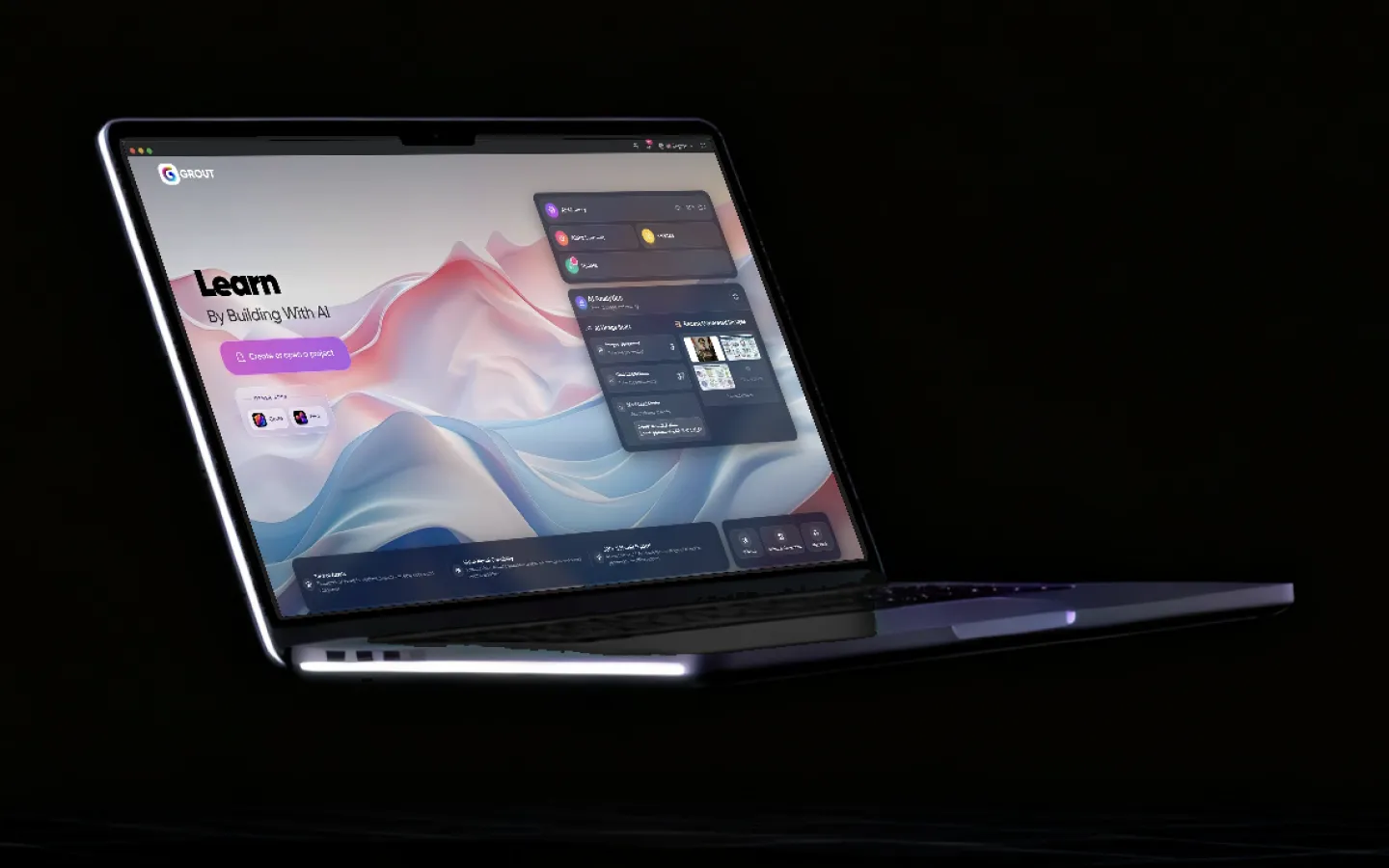
Every feature in the Grout Suite. Three apps, one licence.
Grout is three desktop apps for Windows and macOS. GroutApp is the AI learning studio, GroutCode the coding studio with compiler-checked lab practicals, and GroutFilm the AI video and audio editor. Here is what each one does, shown on the shipping apps.
Updated
GroutApp, the AI learning studio.
Canvas, documents, slides and sheets with AI, your own textbooks in AI-Memory, Alpha Learning with a live AI Teacher, exams and 200+ offline models.
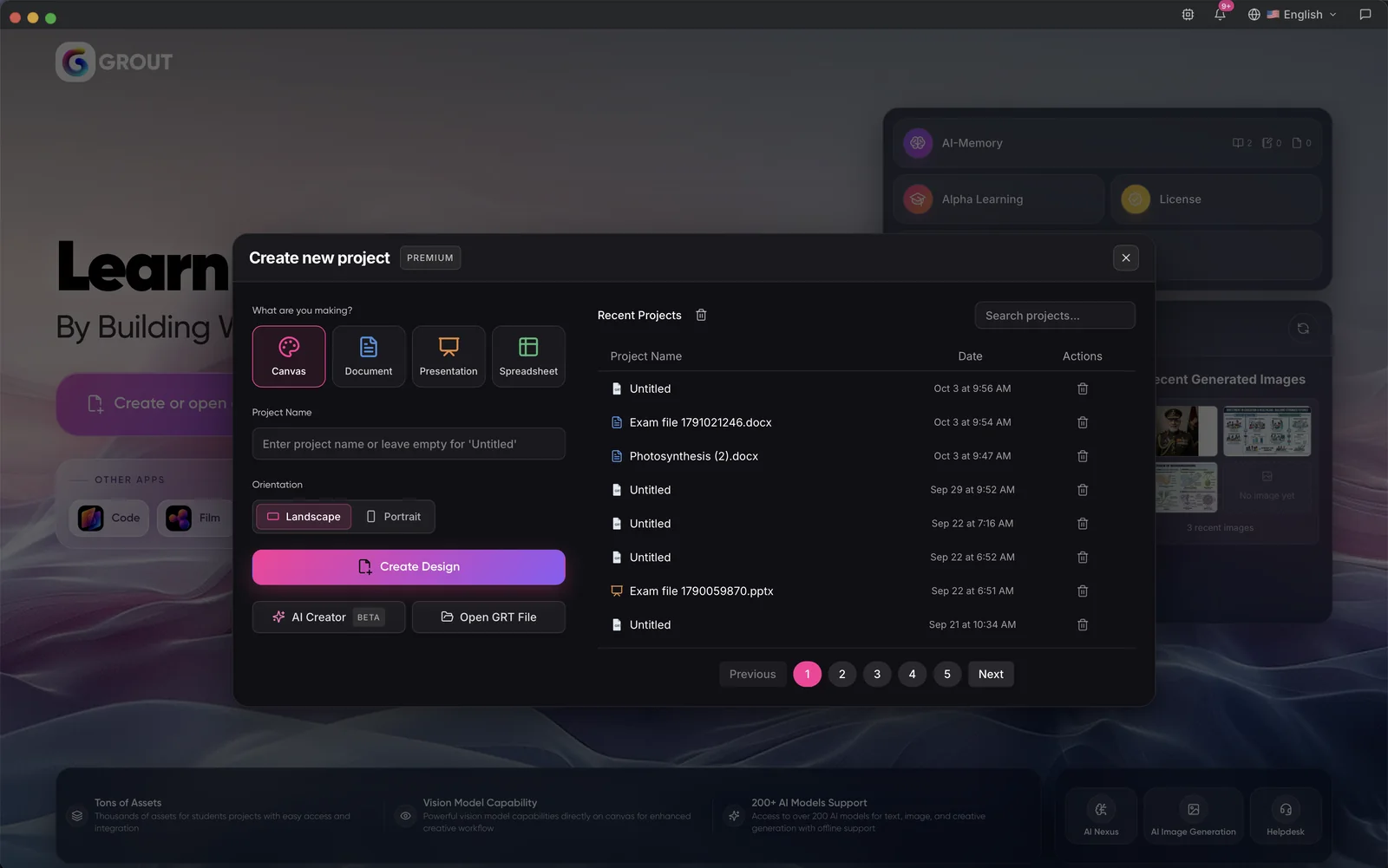
One home for every project
Start a canvas, document, presentation or spreadsheet, reopen recent work, and jump to AI-Memory, Alpha Learning and your licence from the same screen.
- Canvas
- Docs
- Slides
- Sheets
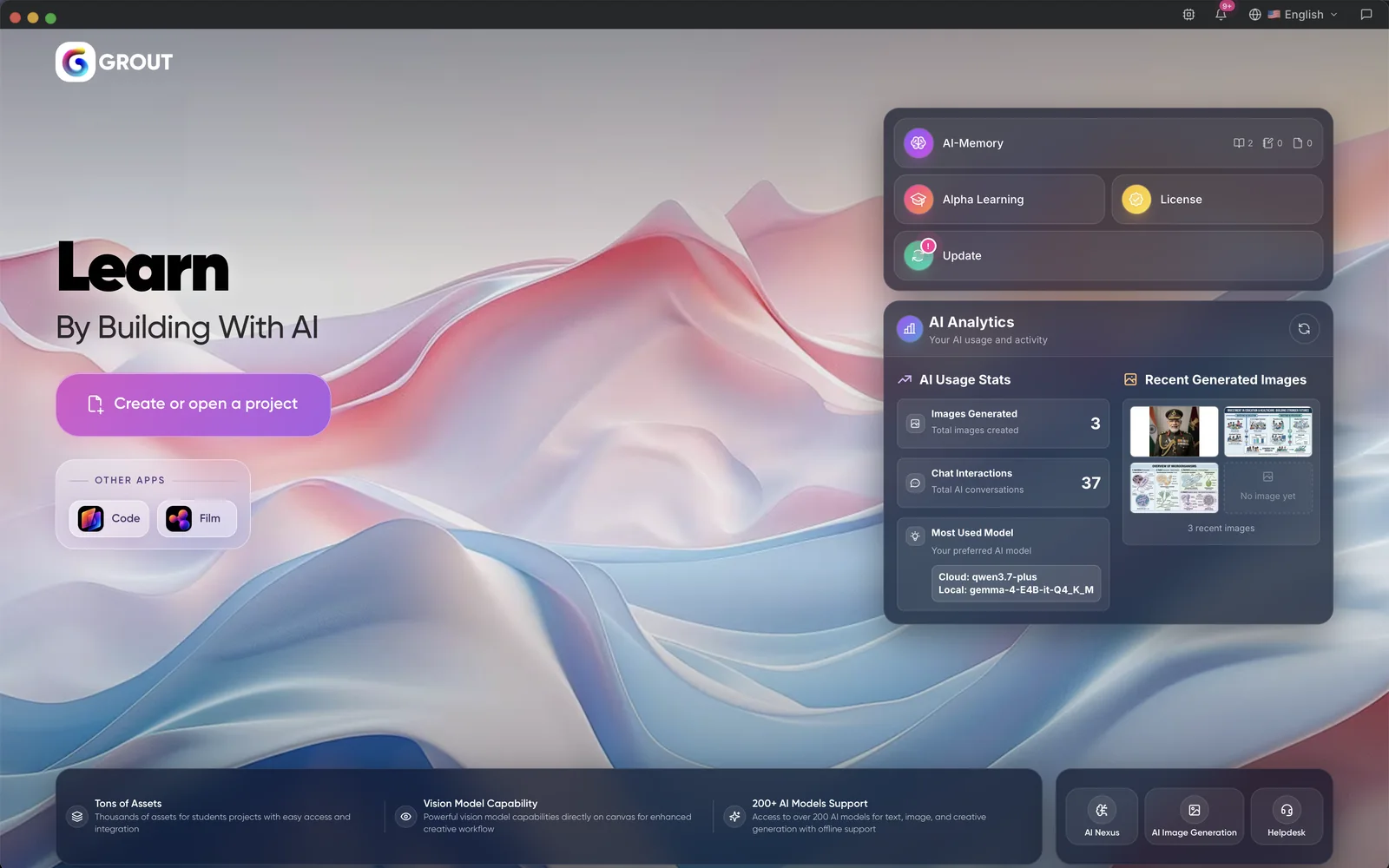
Your AI use at a glance
See how many images you generated, how many chats you had and which cloud and local models you use most, next to your latest AI images.
- AI analytics
- Local + cloud models
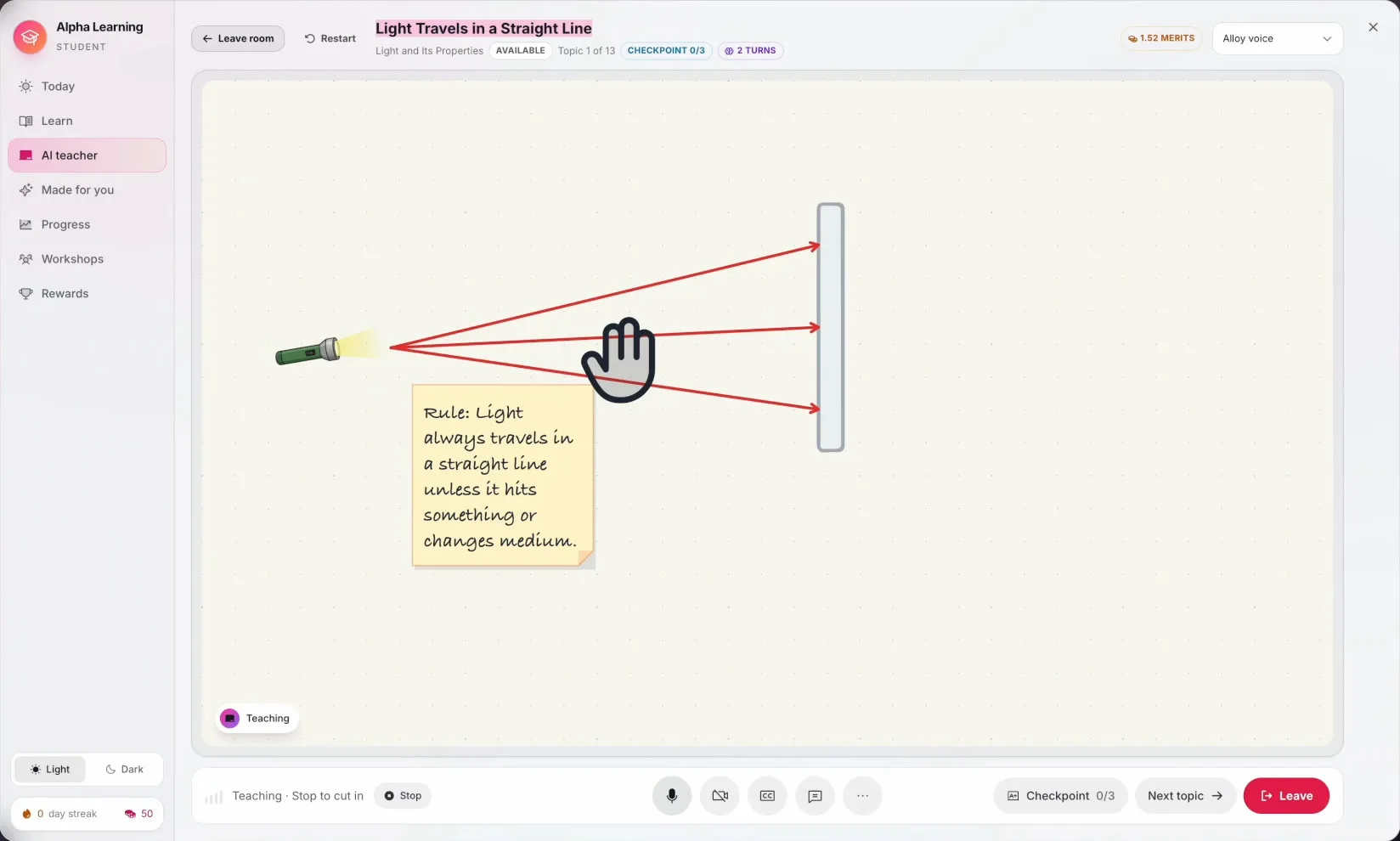
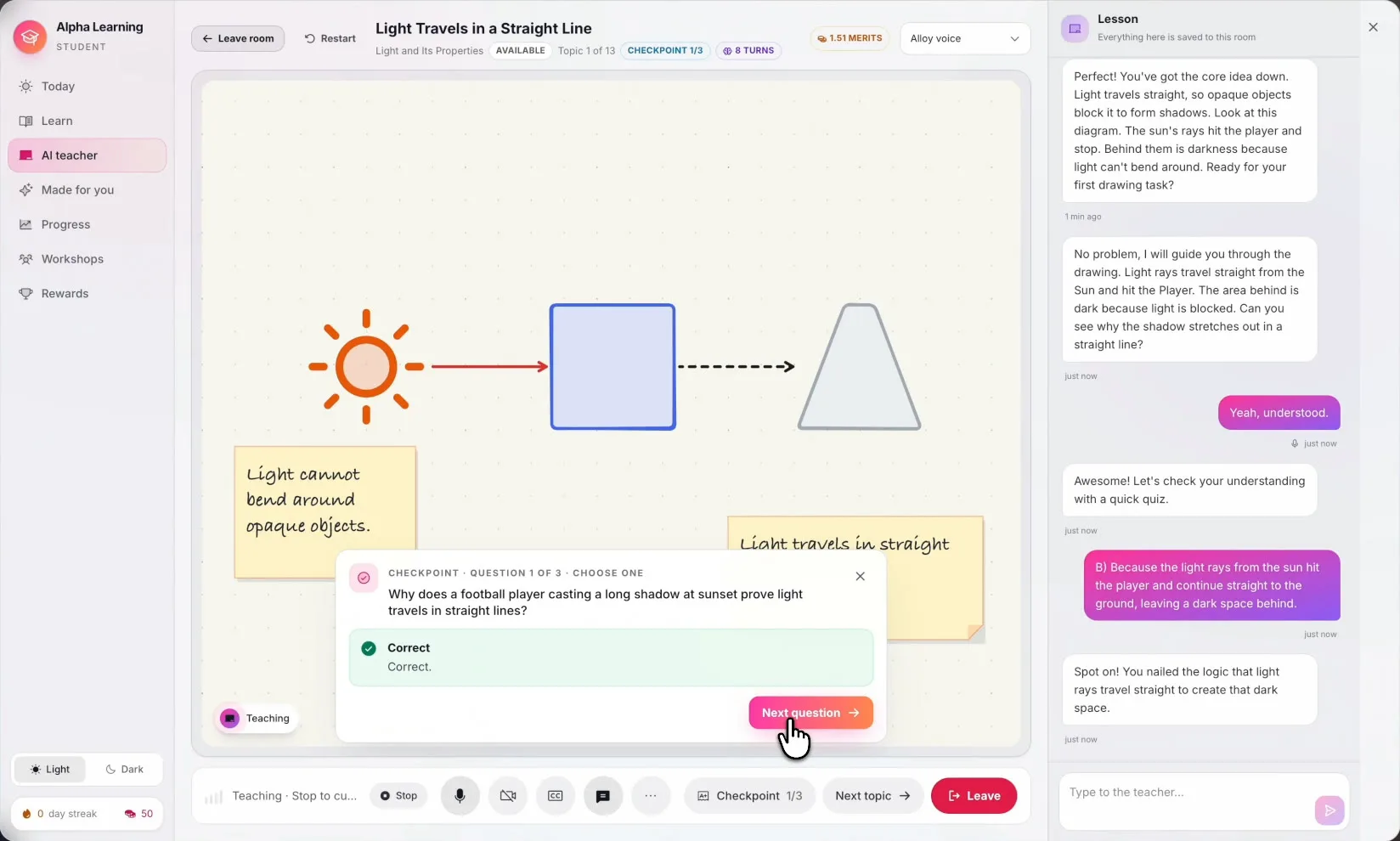
A whiteboard, not a chat window
The teacher draws the torch, the rays and the wall, writes the rule on a note and points at each part as it speaks. The student can draw on the same board.
- AI Teacher
Checks they really got it
A checkpoint question appears on the board when the student is ready. The conversation on the right keeps everything said in the room.
- AI Teacher
Alpha Learning: mastery, not coverage
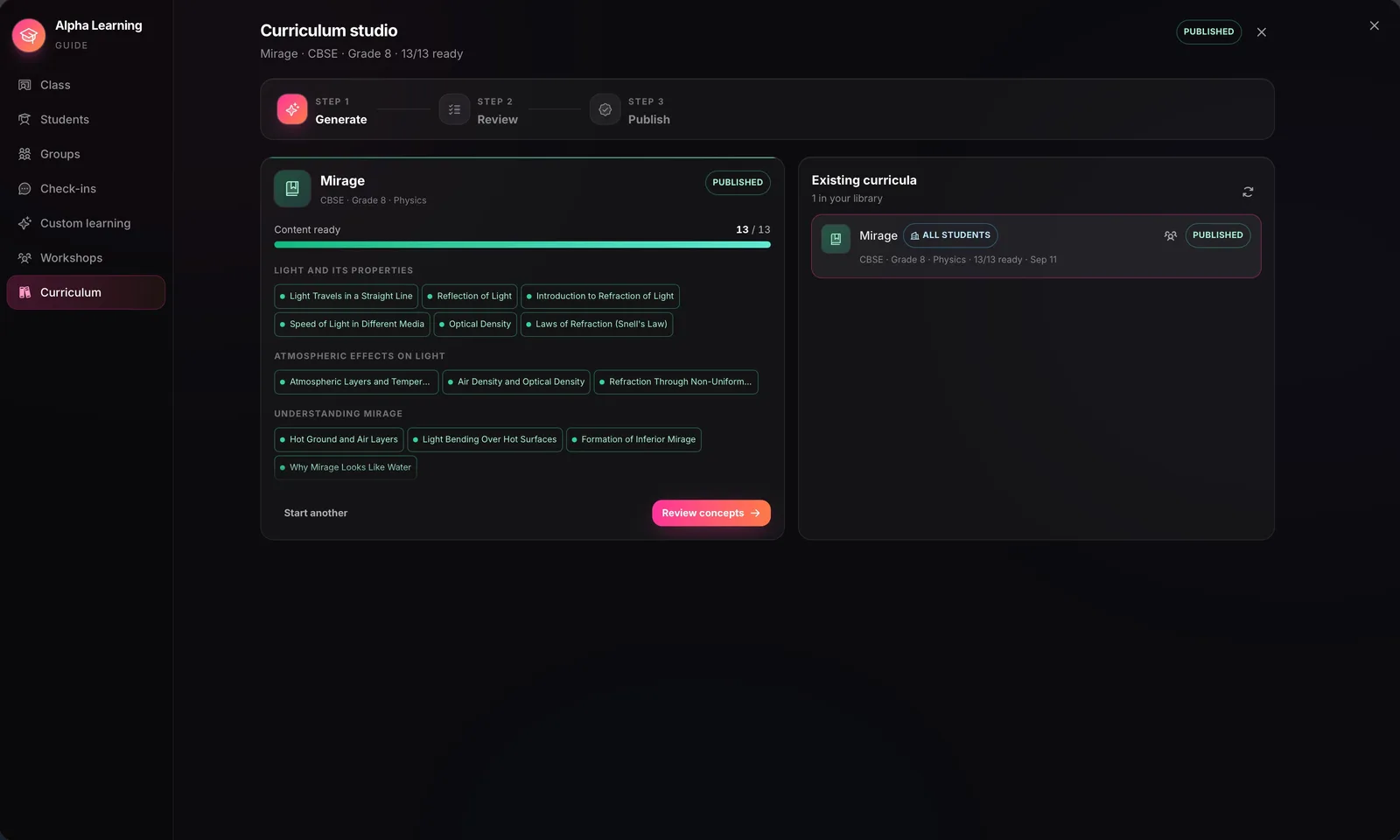
Teachers generate a concept map from the syllabus or the textbook in AI-Memory. A concept unlocks only when the ones before it are mastered, and the AI tutor gives hints, never the answer. Available on institution subscriptions.
- Institutions
- 85% mastery
- Hints, not answers
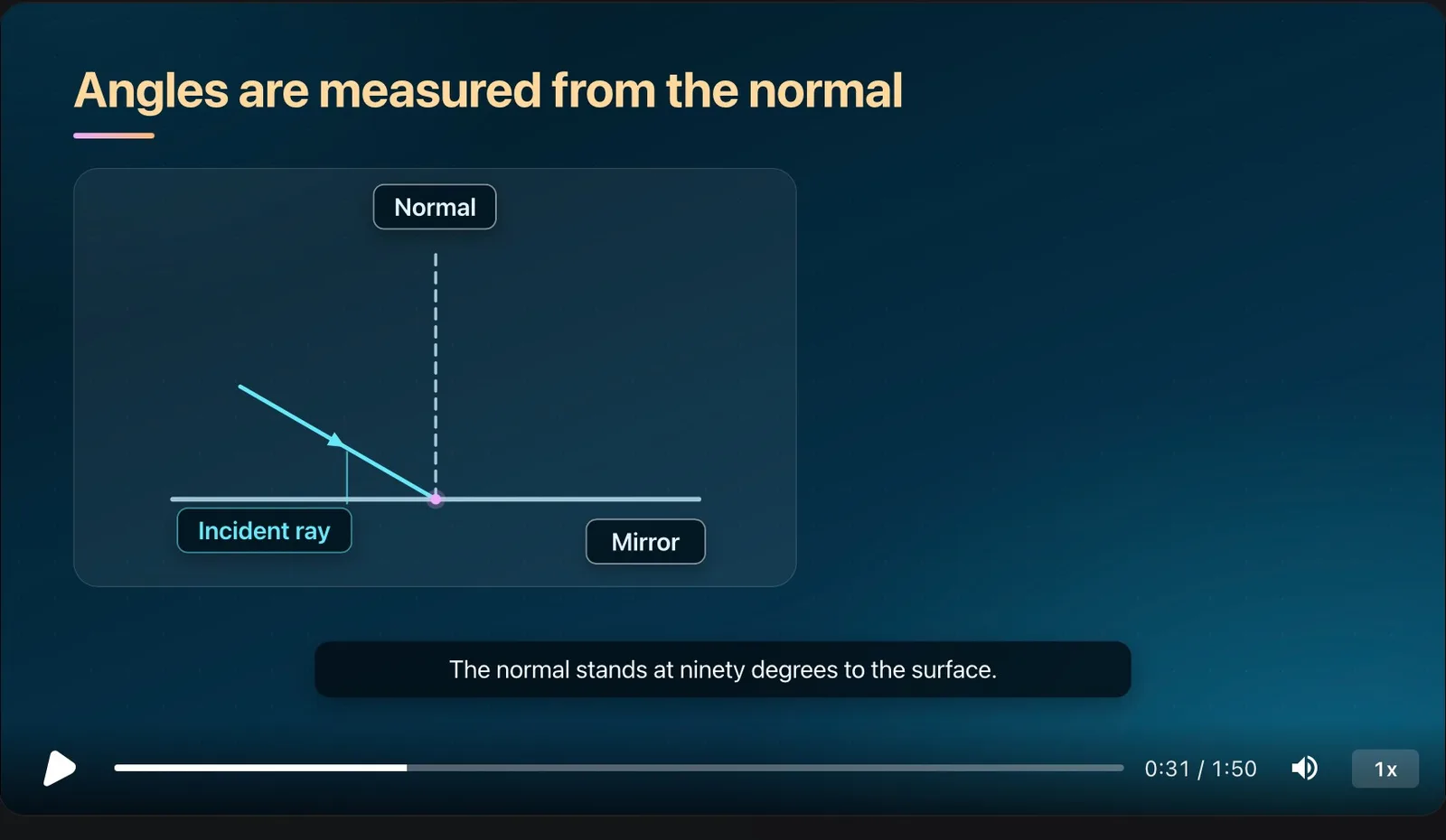
Every concept can be animated
Each concept can carry a narrated, captioned explainer — a hook, the core idea, a worked example and a recap — that the teacher reviews and releases when ready.
- Narration
- Captions
- Teacher review
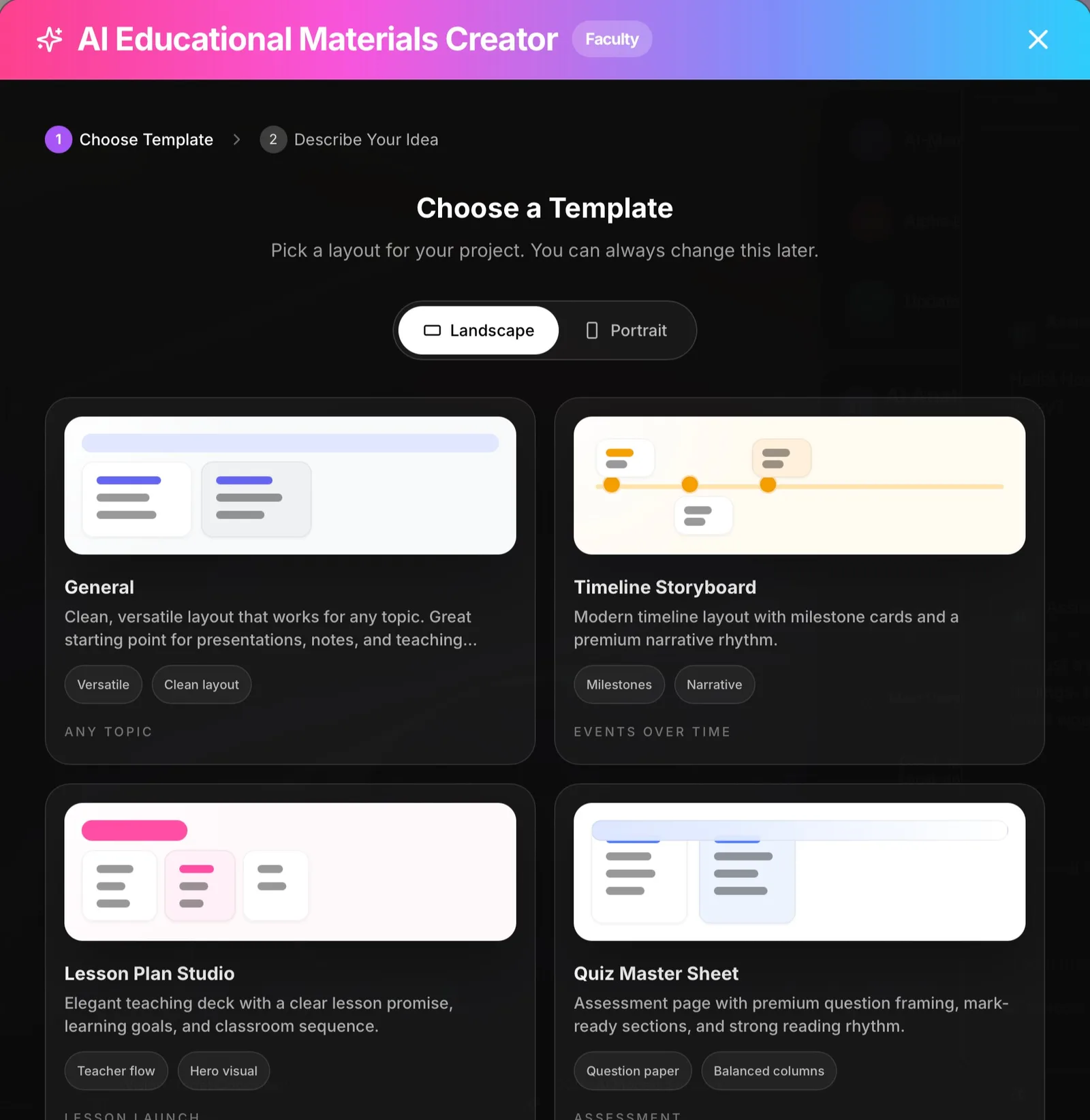
AI Creator for lesson materials
Pick a template — Lesson Plan Studio, Quiz Master Sheet, Timeline Storyboard or Mind Map — type the topic and class, and get a presentation, document or canvas to edit. It works with cloud models or a local model on the laptop.
- Lesson plans
- Quizzes
- Mind maps
- Local or cloud AI
Documents, slides and spreadsheets with AI inside
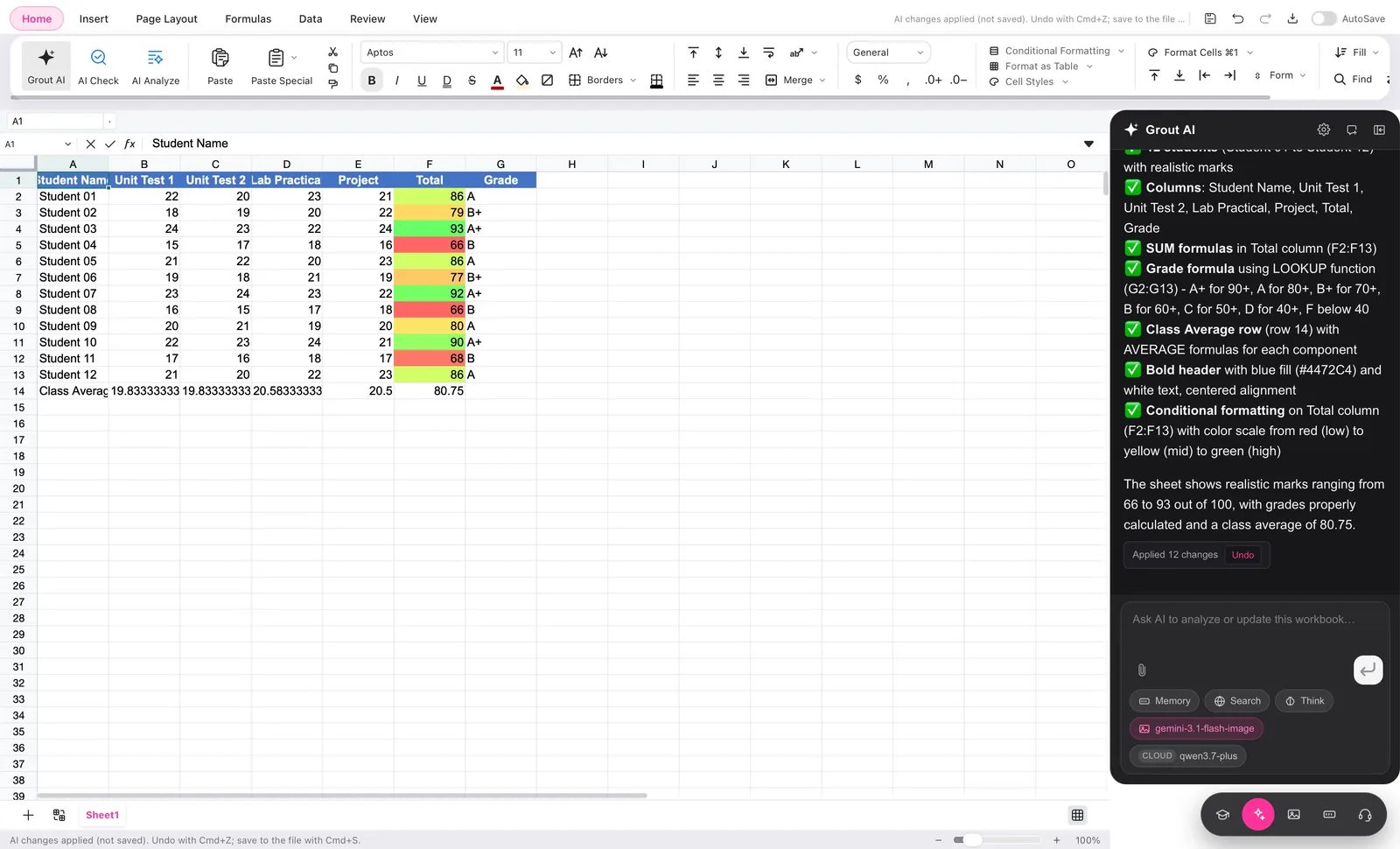
Grout AI sits beside every page: it tidies slides, fact-checks a deck, polishes a worksheet, and builds a marks sheet with formulas and conditional formatting from a plain-English request — with undo.
- Documents
- Presentations
- Spreadsheets
- Canvas
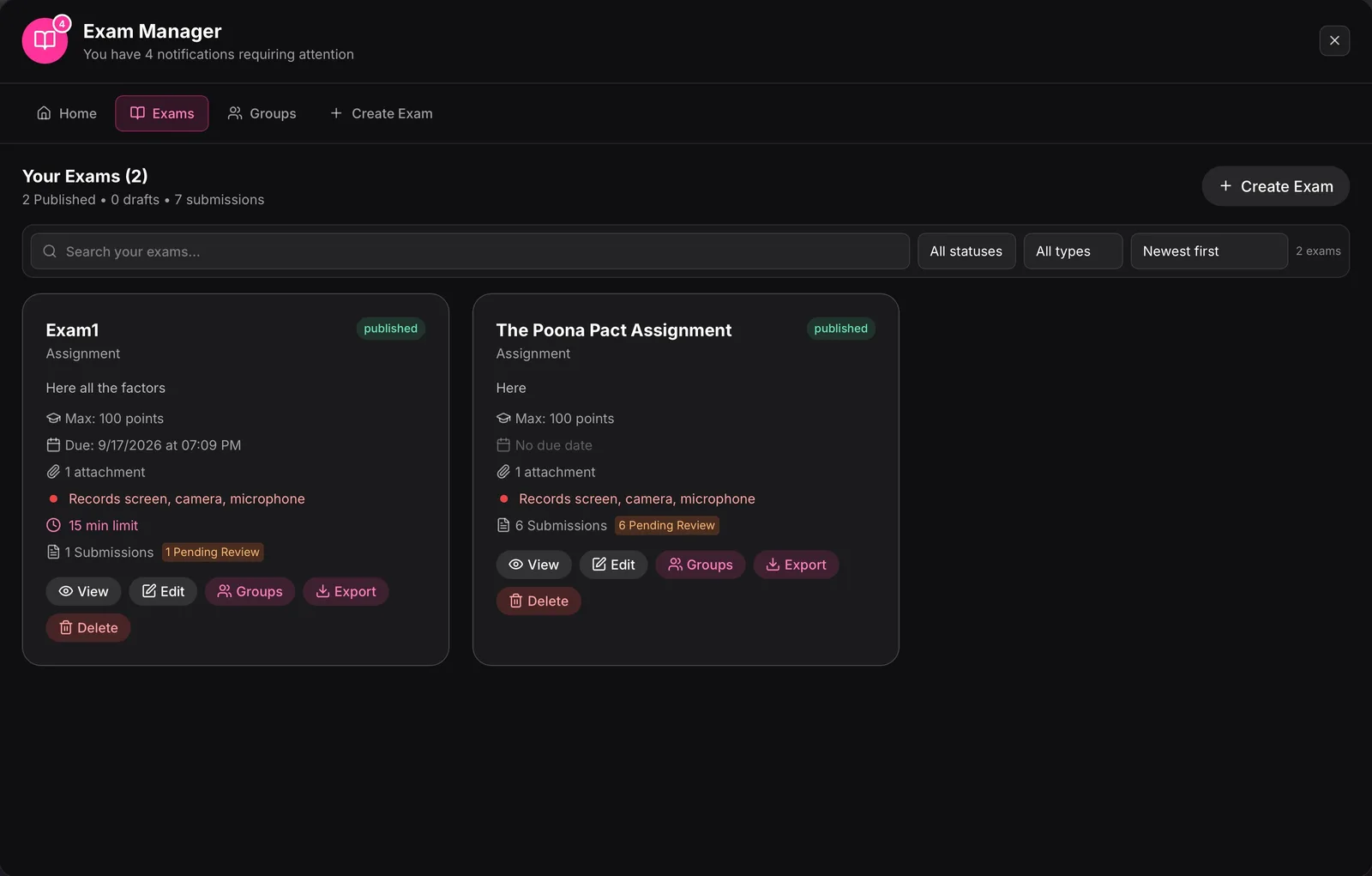
Exams and assignments in one place
Create exams, homework and assignments with points, due dates and time limits, assign them to groups, and review every submission from the Exam Manager.
- Exams
- Homework
- Assignments
- Groups
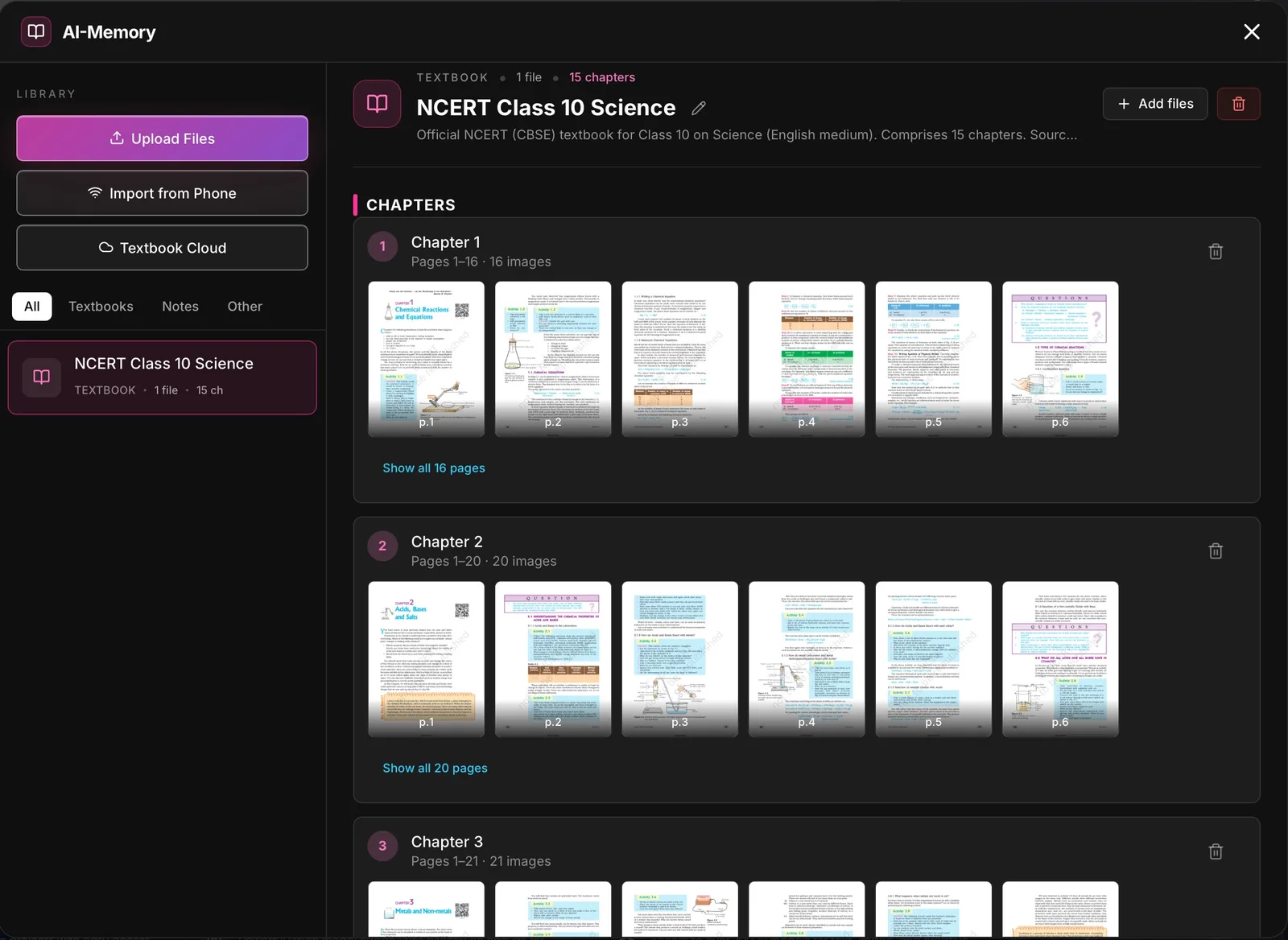
AI-Memory: answers from your own books
Add textbooks, notes and the syllabus once. AI-Memory organises them by subject and chapter, reads photographed pages, and answers from those pages — the source for everything above.
- Textbooks
- Notes
- Syllabus
GroutCode, the coding studio.
An AI agent that builds projects with you, a real editor, Git and a terminal, and stepped lab practicals for 32 syllabuses checked by a real compiler.
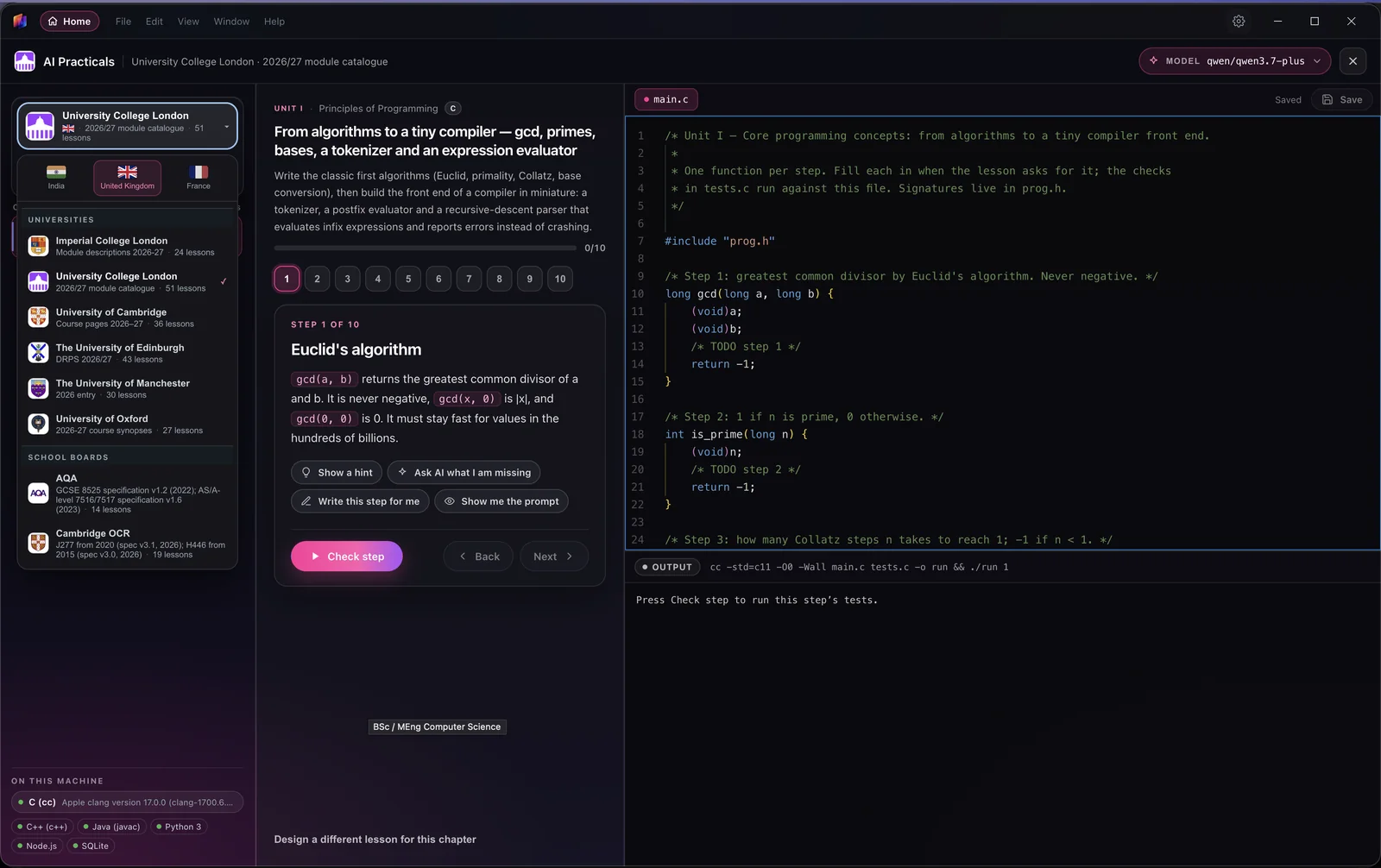
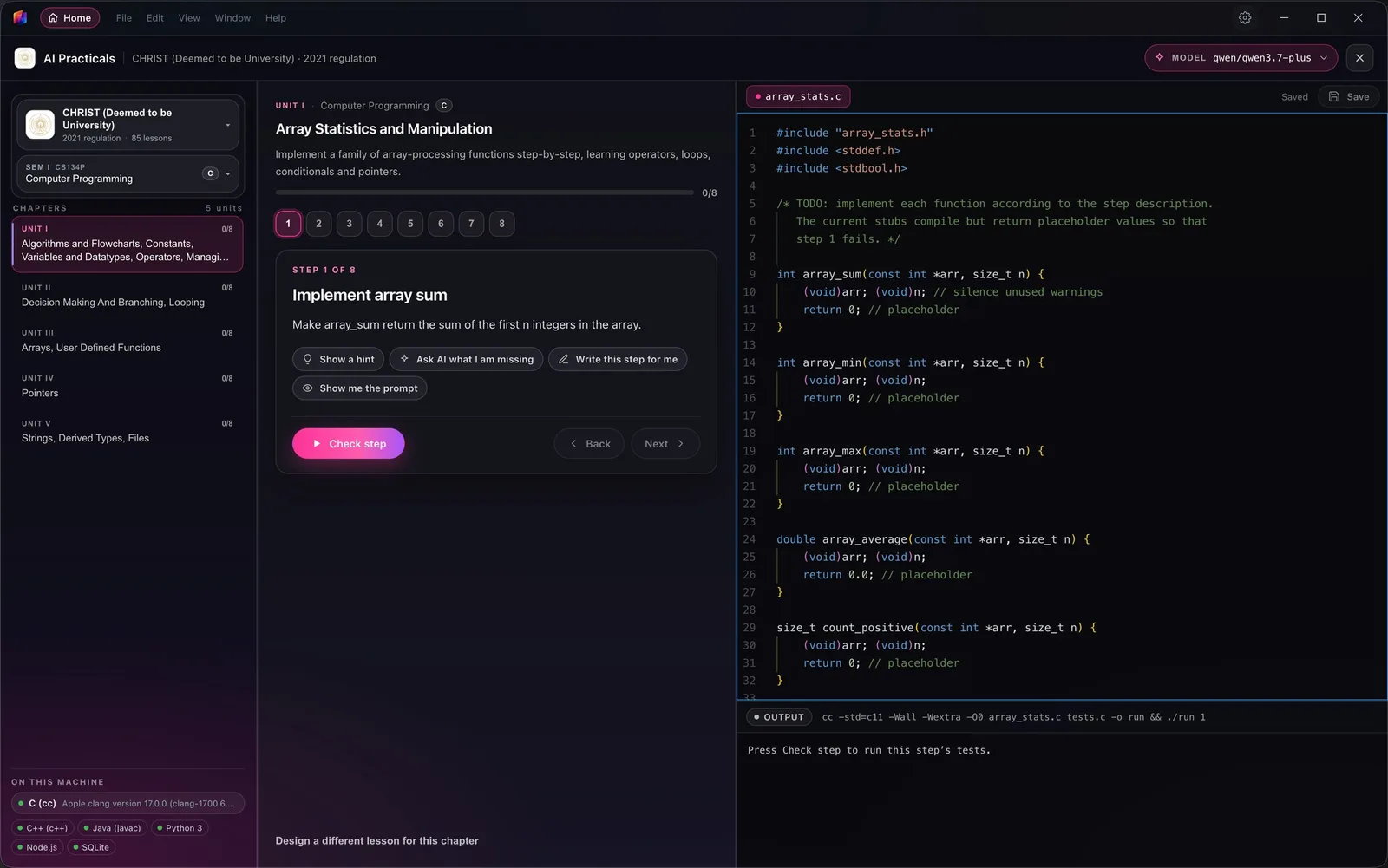
Practicals for 32 syllabuses, by country
Choose India, the United Kingdom or France, pick your university or board, and the lesson opens beside a real editor with the step checks running against your code.
- India
- United Kingdom
- France
- Compiler checks
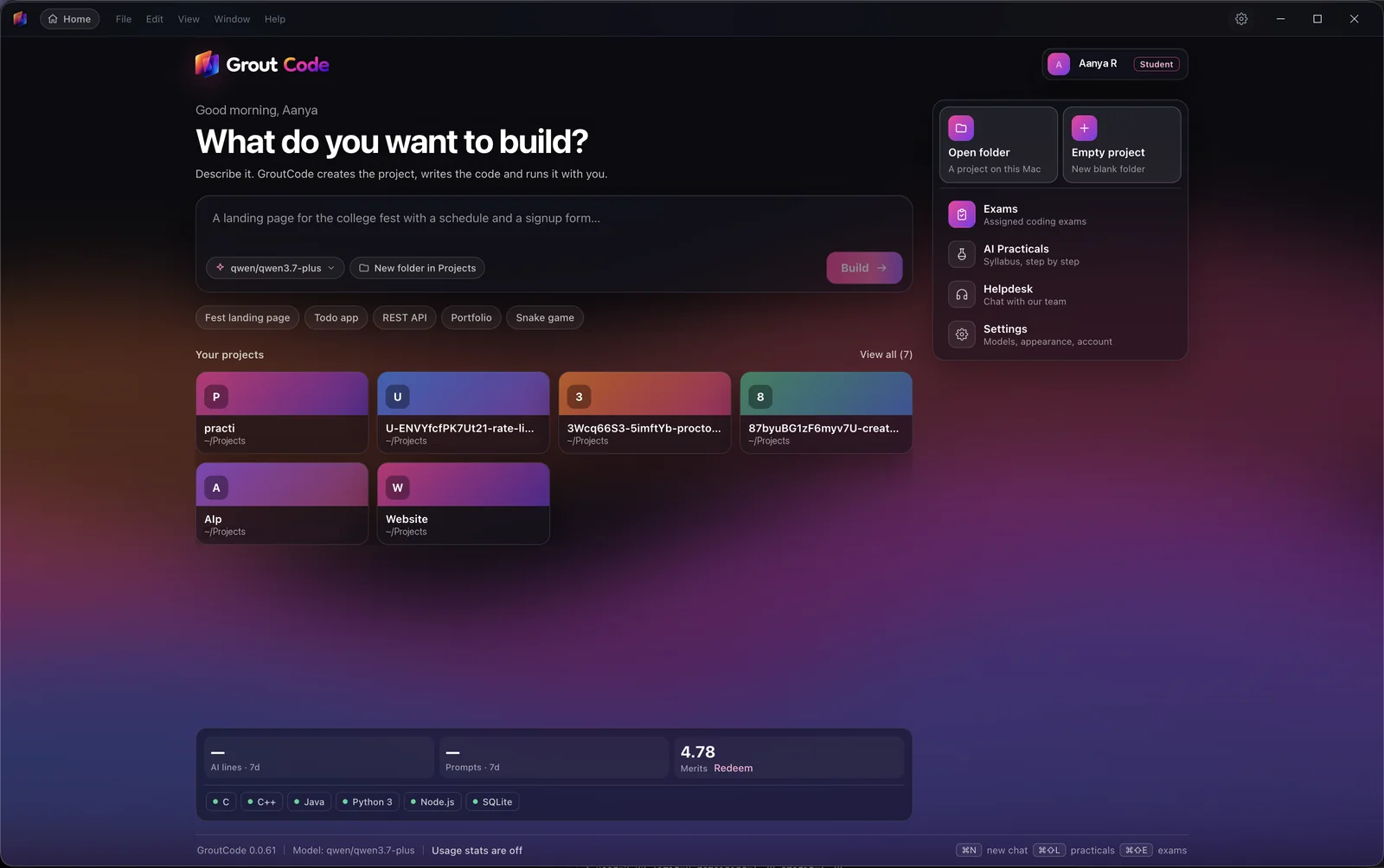
Describe it, and GroutCode builds it
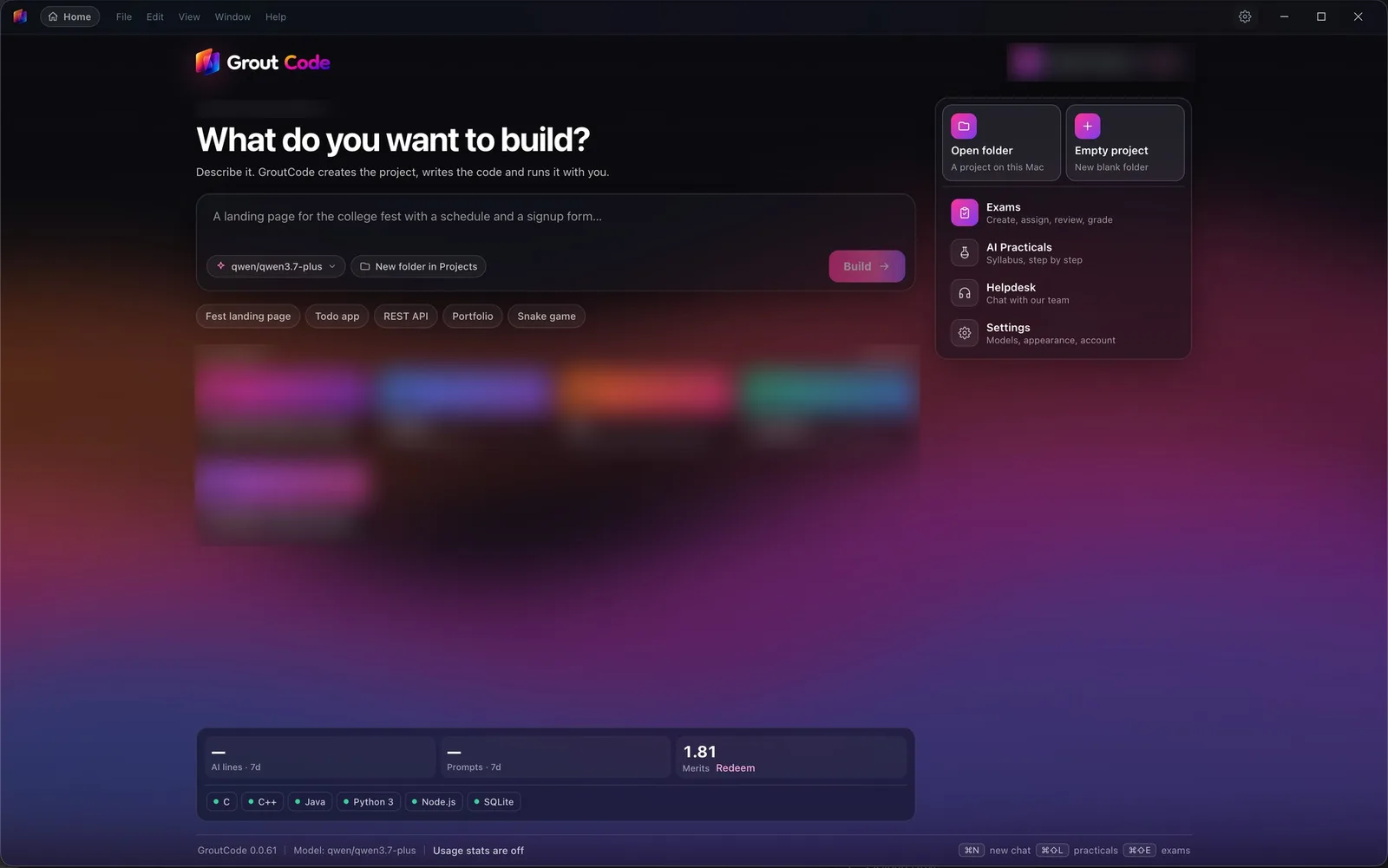
Type what you want to make, pick a model, and GroutCode creates the project, writes the code and runs it with you. Exams, practicals and your recent projects sit one click away.
- Agent
- Projects
- Exams
Lab practicals for your syllabus
Pick your university or board, your semester and your course code, and work through stepped lessons with a starter file and real tests. 32 universities and boards across India, the UK and France are live today, and your institution’s syllabus can be added.
- India · 18
- UK · 8
- France · 6
- KTU
- Oxford
- Sorbonne
- + your syllabus
Run a coding model on the laptop
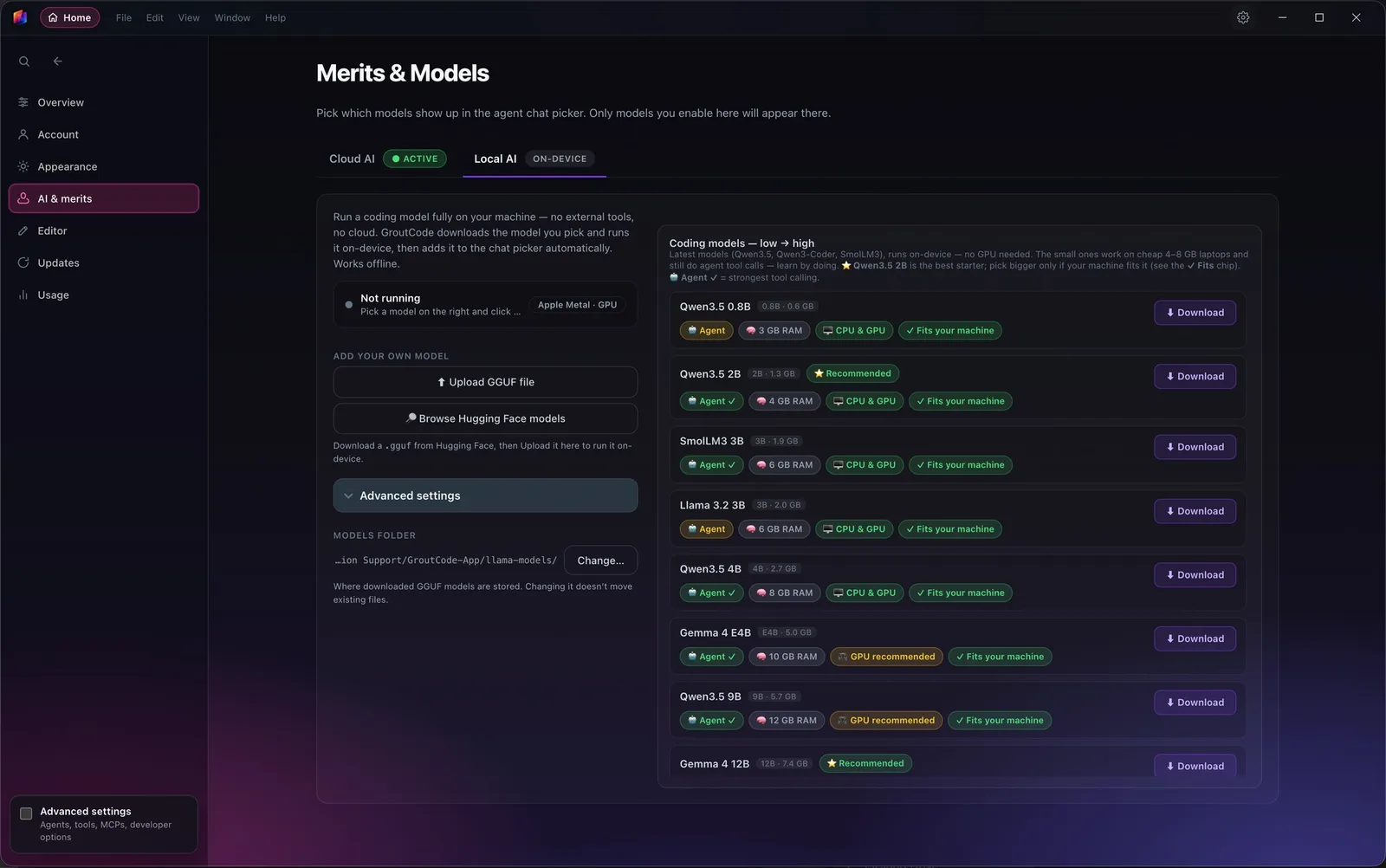
Choose a model in Local AI and GroutCode downloads it and runs it on the machine, then adds it to the agent picker. Small models run on 4–8 GB laptops with no graphics card, so practice keeps going when the lab Wi-Fi does not.
- Qwen3.5
- Gemma 4
- Llama 3.2
- SmolLM3
- Your own GGUF
An agent you can watch and approve
Start a project from one sentence, then work in Agent, Plan, Ask or Debug mode. Every tool call is shown as it runs, commands wait for your approval, and MCP servers, skills and plugins add the tools your project needs.
- Agent
- Plan
- Ask
- Debug
- MCP
- Git
- Terminal
GroutFilm, the AI video editor.
A multi-track timeline with effects and keyframes, frontier and local video models, music and speech generation, and export on your own machine.
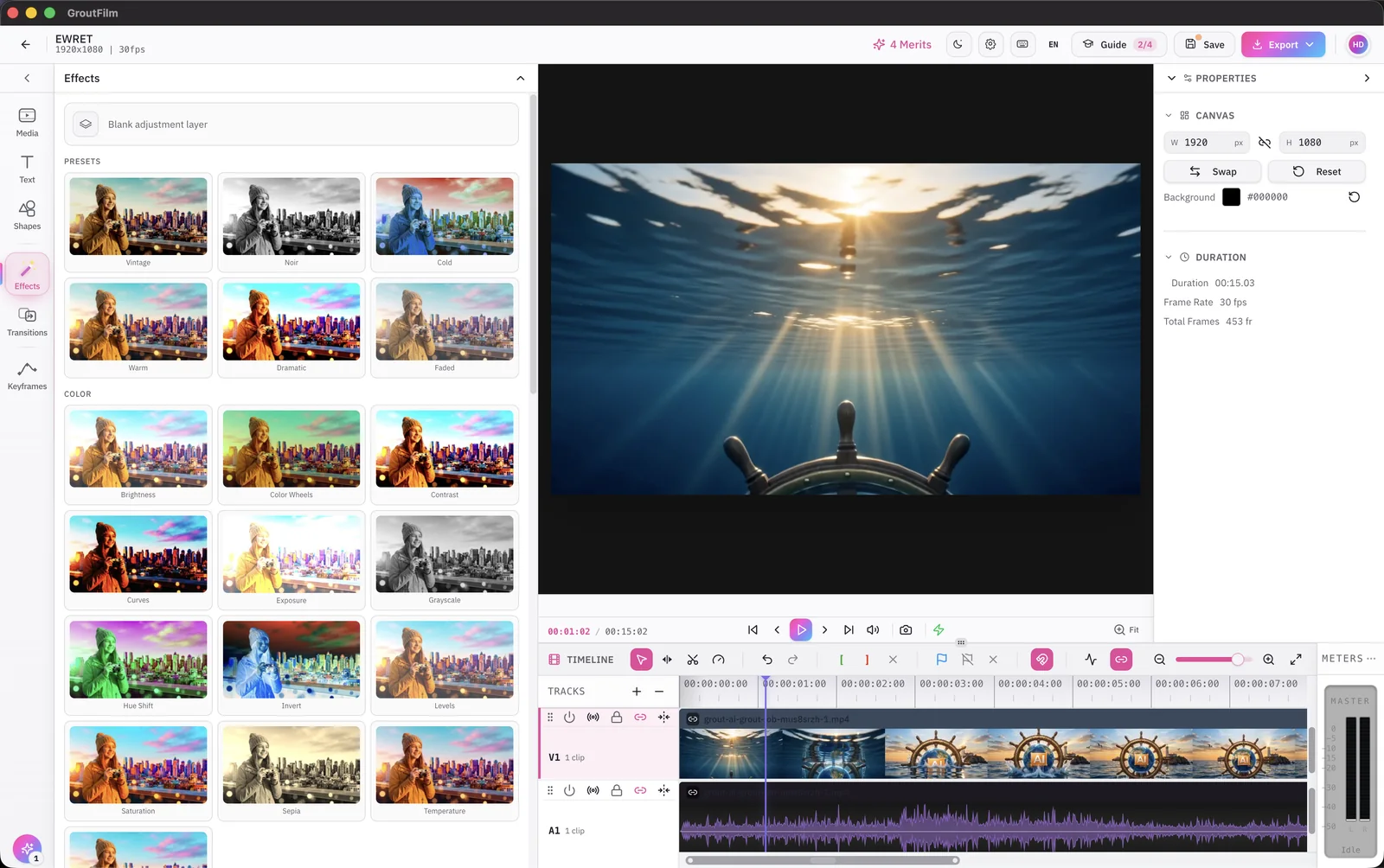
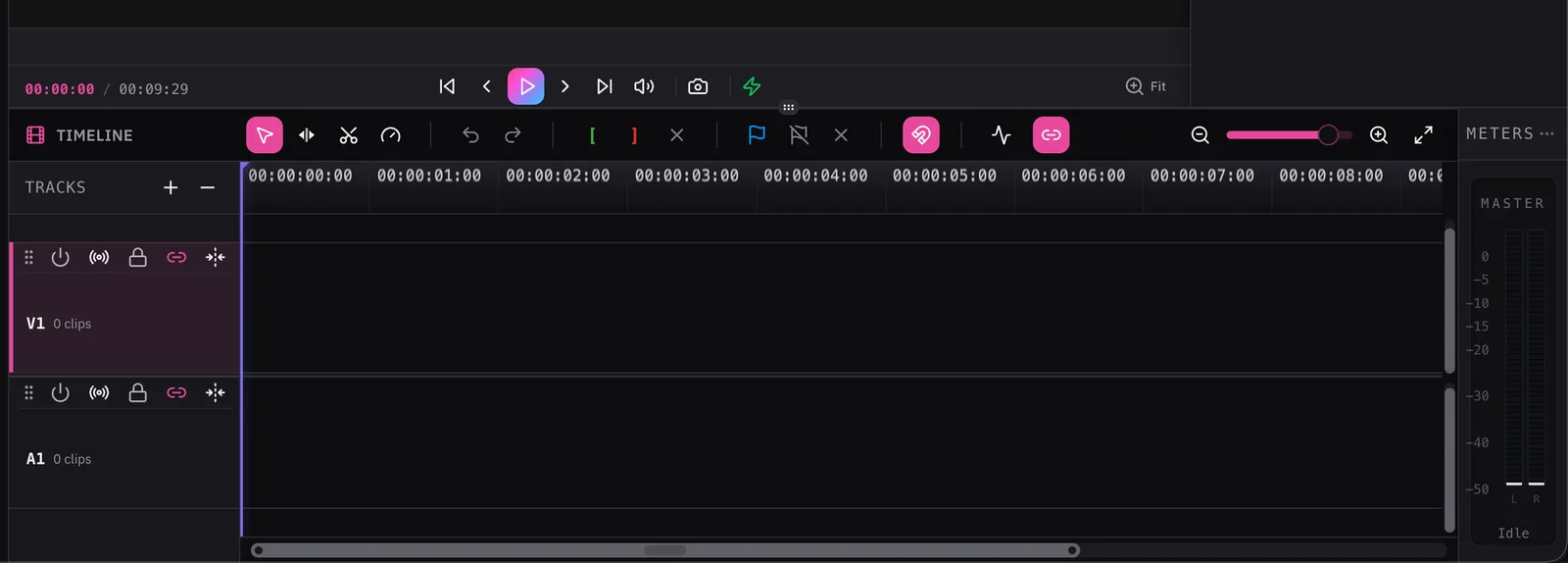
A real timeline, effects included
Cut on a multi-track timeline with audio waveforms and meters, and grade with presets, curves, colour wheels and keyframes. Export runs on your own machine.
- Timeline
- Effects
- Keyframes
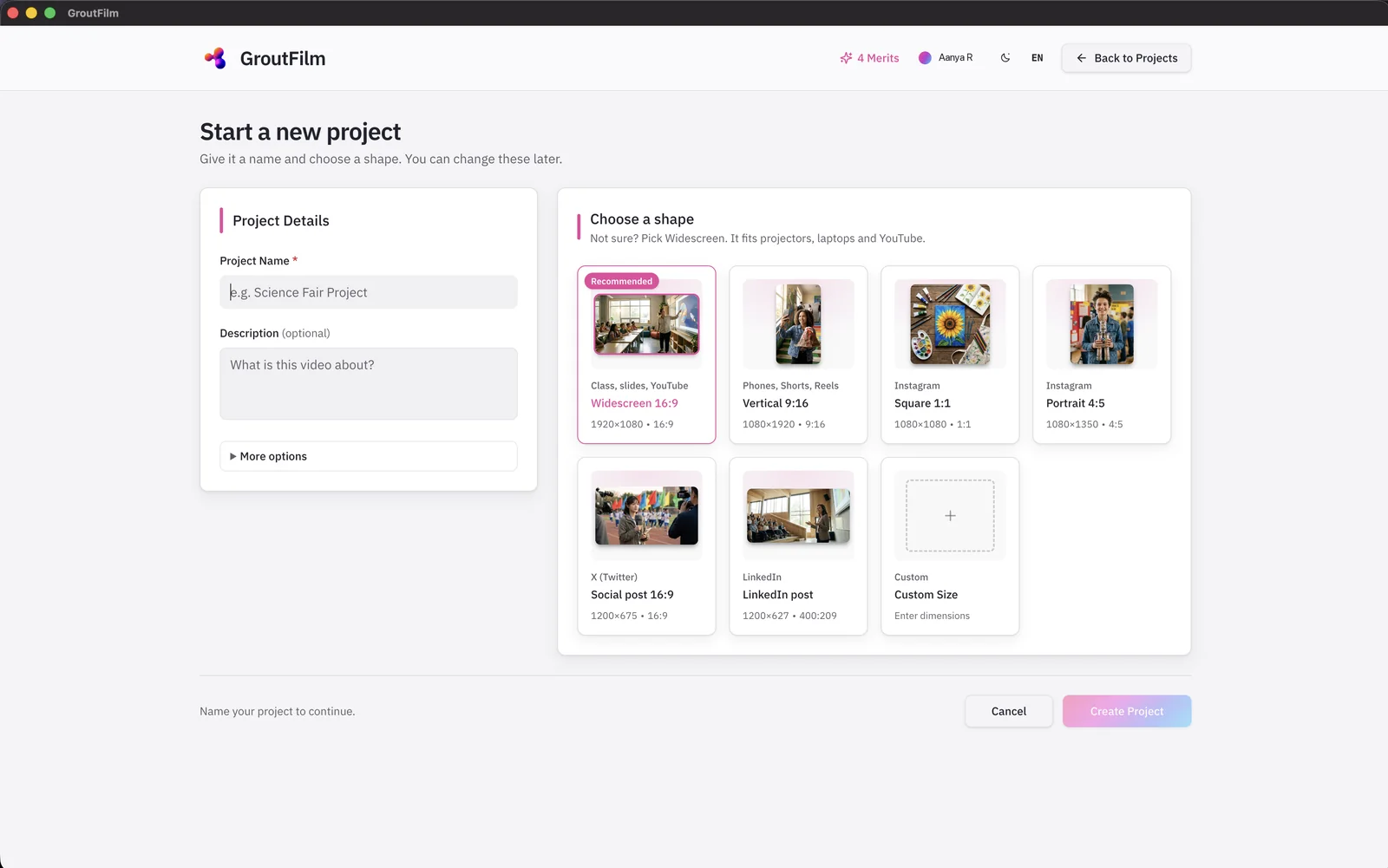
Pick the shape, then start
Name the project and choose widescreen for class and YouTube, vertical for Reels and Shorts, square, portrait, LinkedIn or a custom size. You can change it later.
- 16:9
- 9:16
- 1:1
- Custom
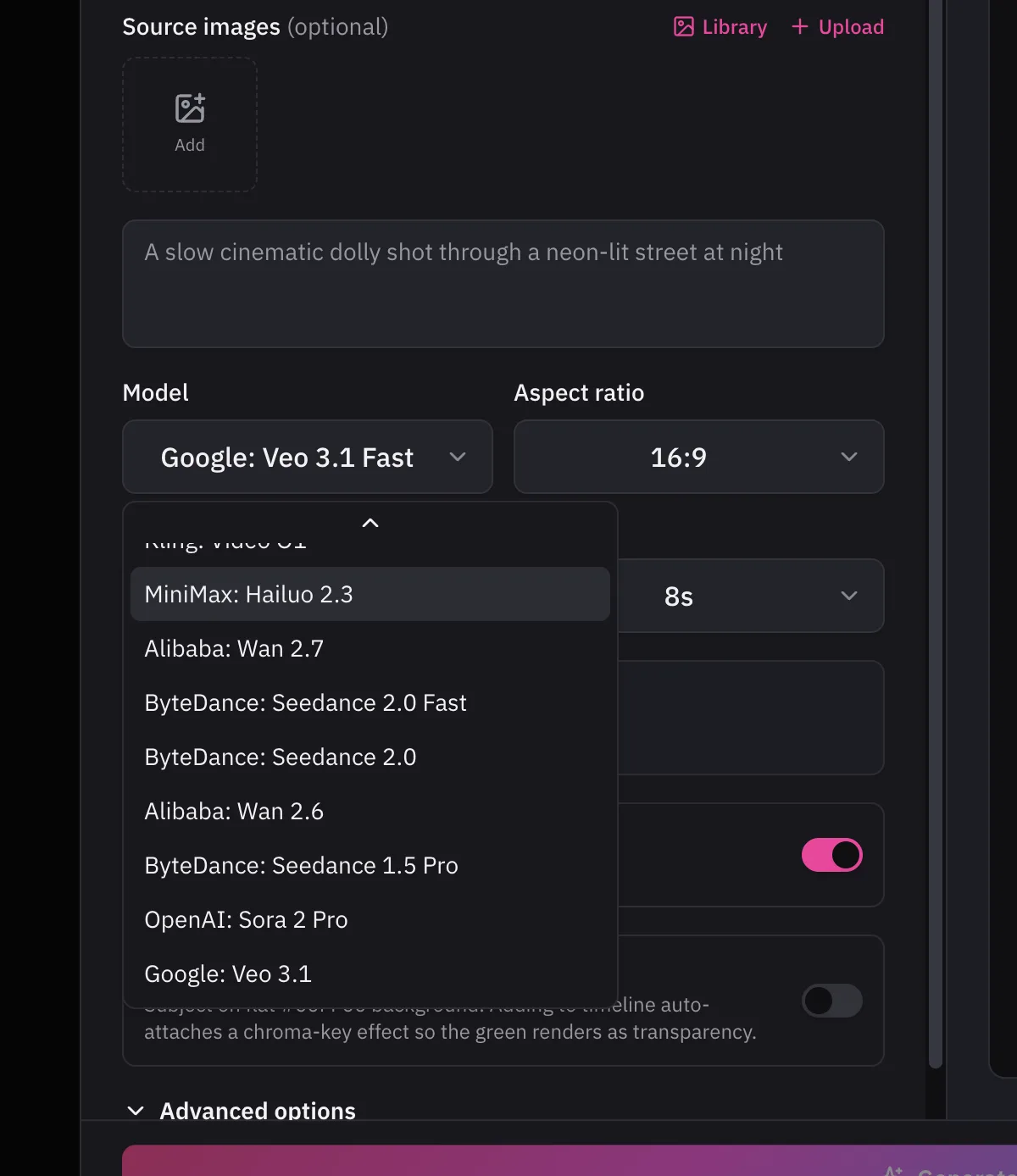
Frontier video models, one menu
Pick Veo, Seedance, Kling, Sora, Hailuo or Wan from the same generator, turn a description or a picture into a clip, and drop it straight onto the timeline. Cloud models run through the optional Nexus module and use Merits.
- Veo 3.1
- Seedance 2.0
- Kling Video O1
- Sora 2 Pro
- Hailuo 2.3
- Wan 2.7
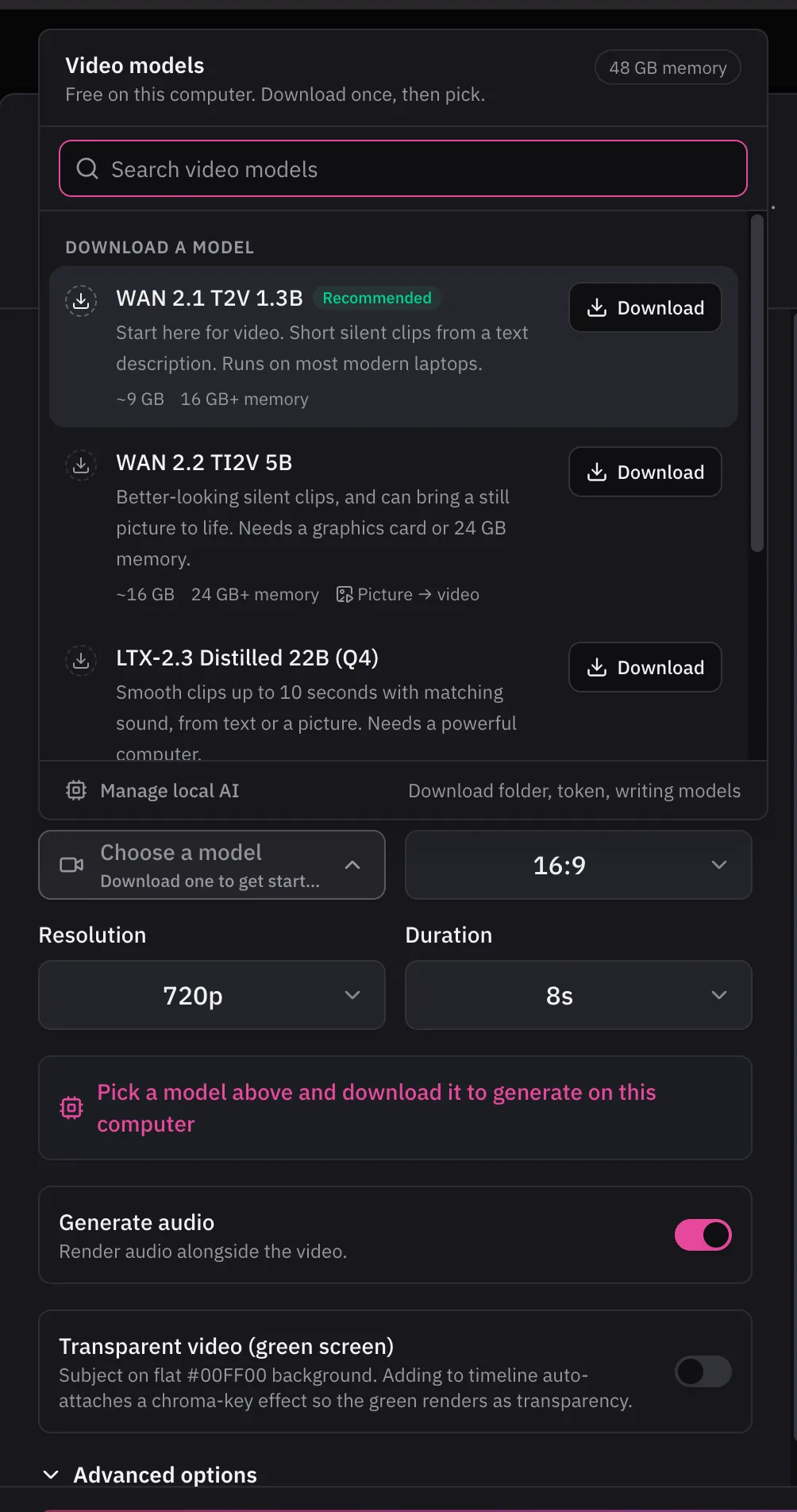
Or generate on your own computer
Download a video, image, voice or music model once and it runs on the machine — no internet, no per-render cost. GroutFilm shows how much memory each one needs before you download.
- WAN 2.1
- WAN 2.2
- LTX-2.3
- FLUX.1 schnell
- FLUX.2 Klein
- Kokoro TTS
- MusicGen
- Whisper
A timeline that is easy to learn
Split, trim and arrange clips on video and audio tracks, with snapping, markers and live level meters — the editing feel students already know from phone apps, on a desktop.
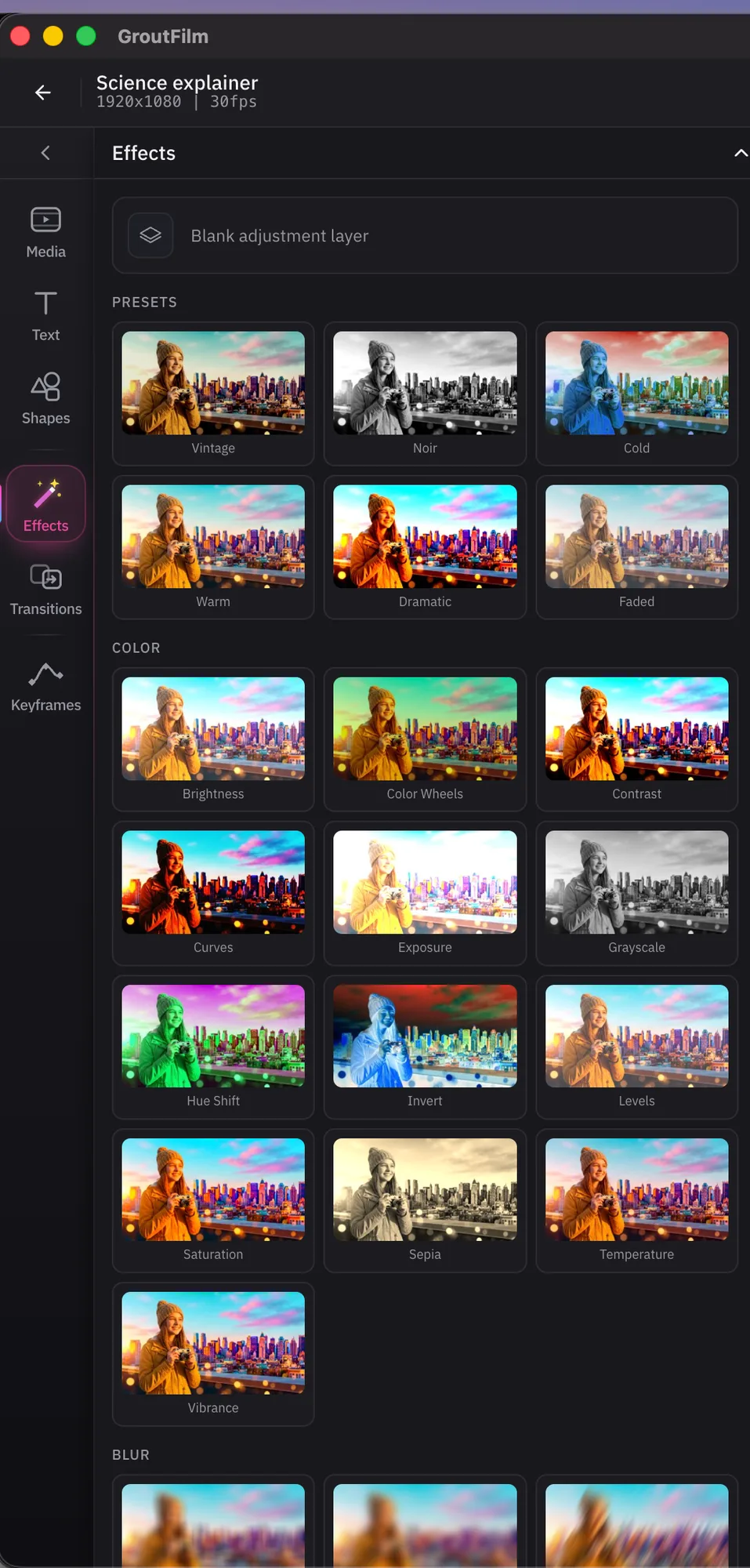
Effects, colour and transitions
One-click looks like Vintage, Noir or Warm, full colour controls, blurs, transitions and keyframes, applied as adjustment layers you can change later.
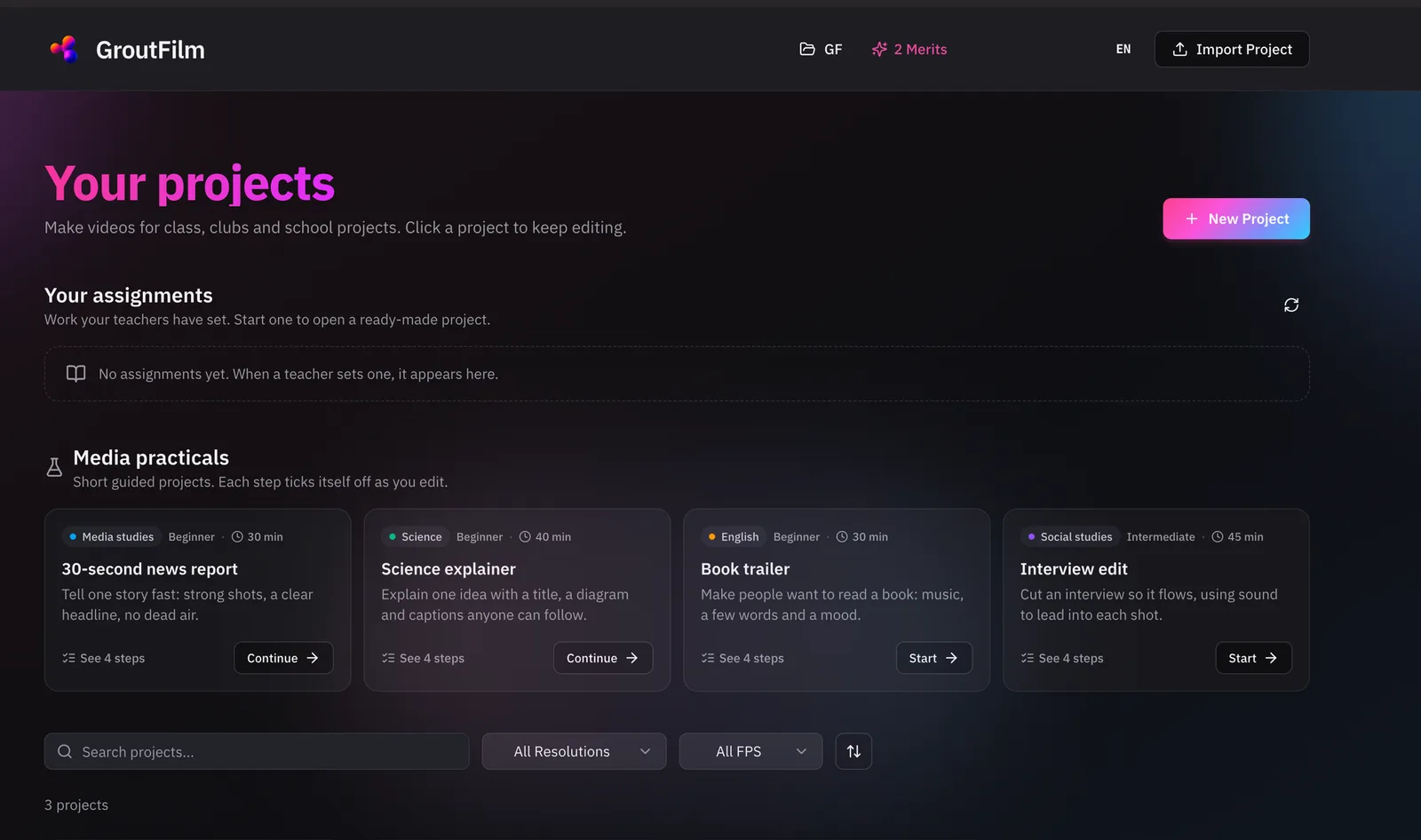
Guided media practicals
Short, step-by-step projects for class — a 30-second news report, a science explainer, a book trailer, an interview edit. Each step ticks itself off as the student edits, and teachers can set them as assignments.
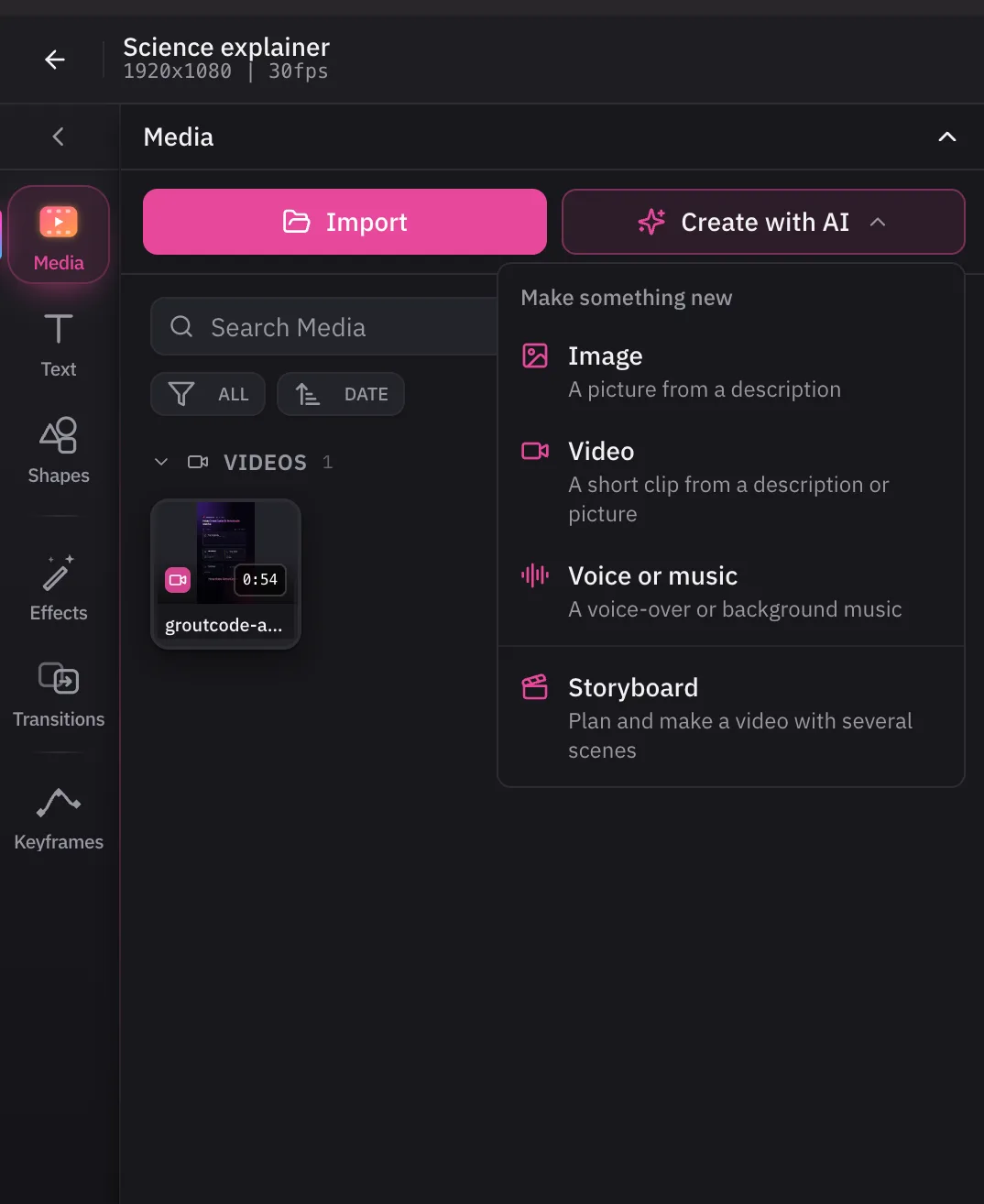
Create with AI, right inside the project
Make an image, a video clip, a voice-over or background music from a description, or plan a multi-scene video as a storyboard — without leaving the edit.
One license, three apps
Grout is three desktop apps for Windows and macOS. GroutApp is the AI learning studio, GroutCode the coding studio with compiler-checked lab practicals, and GroutFilm the AI video and audio editor. Here is what each one does, shown on the shipping apps.
See pricing