

A custom AI teacher,
built around one student.
Same topic, different student, different lesson. In GroutApp you choose what the AI teacher teaches from, how it explains, what its examples are about, how fast it goes, the voice it speaks in and even whose API key it runs on. Then it keeps adapting, answer by answer.
Updated
- learning profile the teacher follows
- 5 stepslearning profile the teacher follows
- syllabus, textbook or notes as the source
- Anysyllabus, textbook or notes as the source
- teacher voices to choose from
- 8teacher voices to choose from
- optional: Google, OpenRouter, image APIs
- Your keyoptional: Google, OpenRouter, image APIs
One teacher, shaped for each student
The film shows what personal tuition at home feels like; the recording shows the profile and the lesson it shapes.
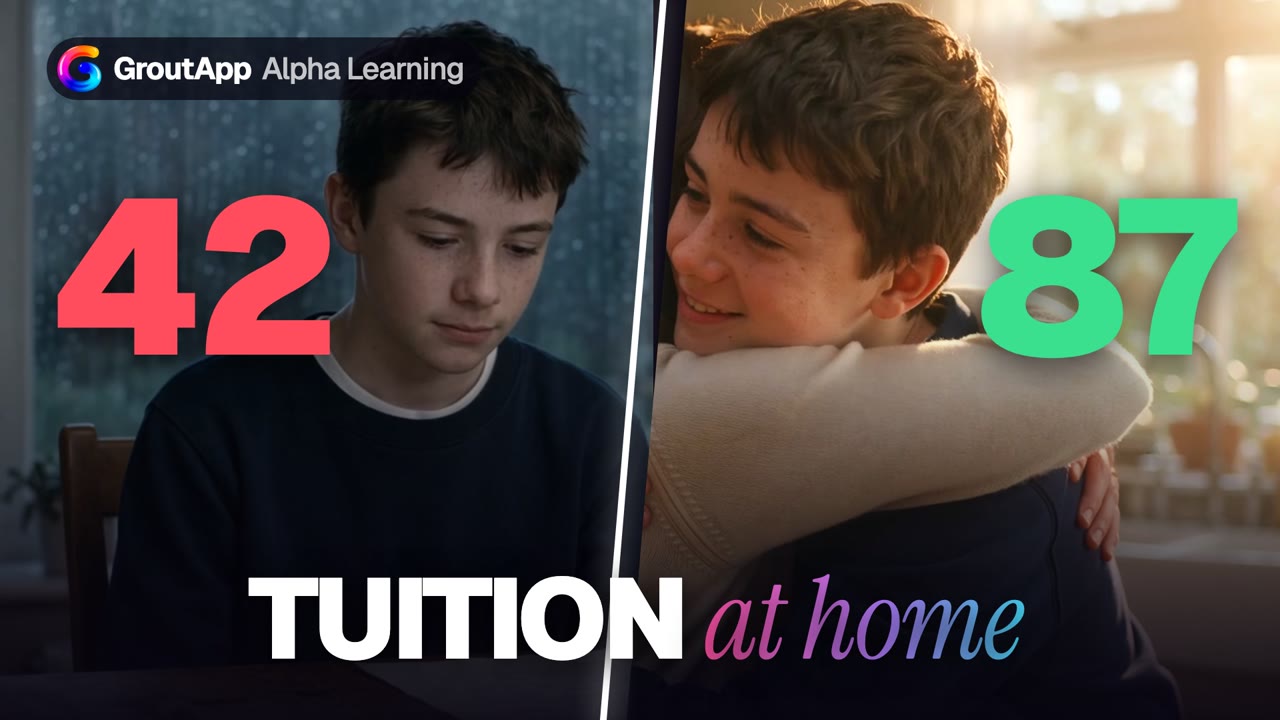
Tuition at home, on their own syllabus
A parent adds the child's syllabus once, the teacher asks how the child learns, then teaches that way. Fifty-two seconds.
A dramatisation made with AI; the marks are part of the story, not a promised result. App screens are real.
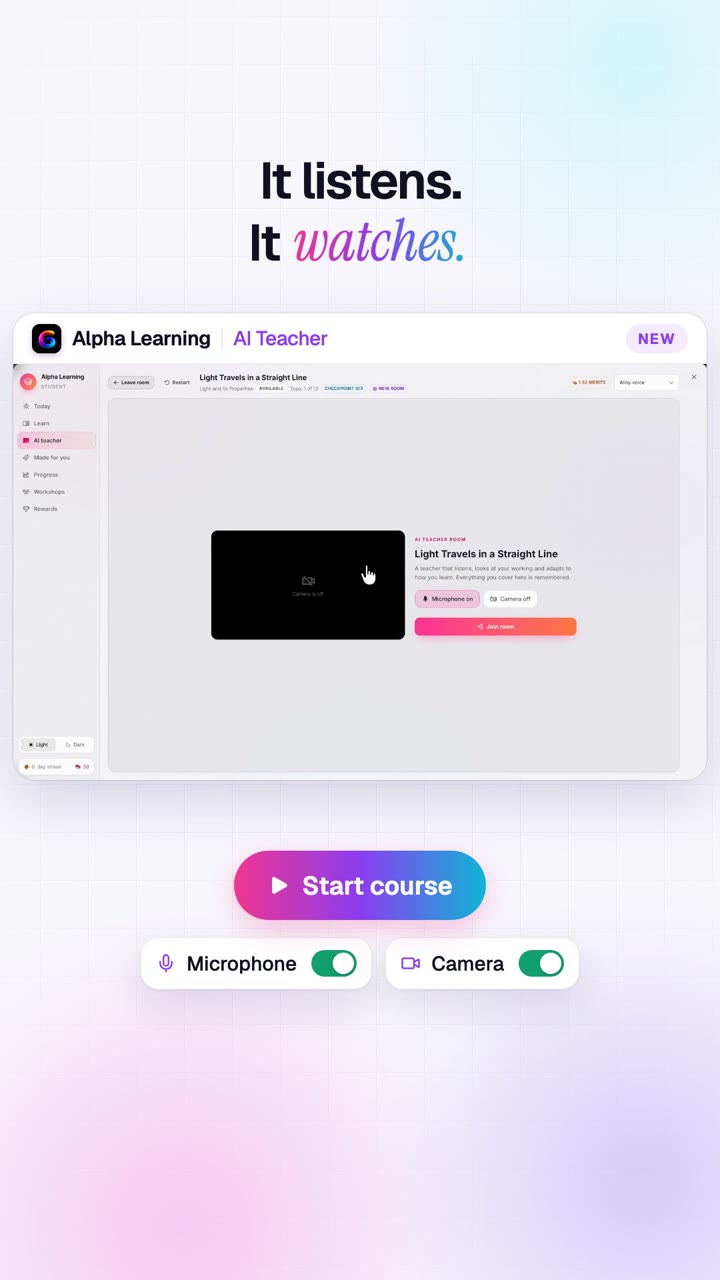
The profile, then the lesson
The student fills in a learning profile, then the teacher opens a lesson built from it.
Everything you can customise
From the curriculum down to the tone of voice, and the AI models underneath.
Your syllabus, your textbook
Generate a curriculum from a board, grade and subject, paste the official syllabus, or build it from the student's own textbooks and notes in AI Memory. The teacher teaches exactly that.
Students build their own
A student can create a curriculum for anything they want to learn. Teachers can also write one for a single student, and it appears under Made for you.
How they understand best
Pictures and diagrams, listening, worked examples, hands-on, reading or animations; simple words, step by step, real-life examples, formulas or stories. The teacher follows the mix chosen.
Examples about what they love
Cricket, football, music, games, space, cooking, cars, dance and more. The teacher opens with an example from the student's interests, so physics happens on a football pitch.
Their pace and attention span
Slow and steady or fast; five-minute bursts or long sessions. The teacher sizes its steps to match, and gets smaller steps out when an answer is wrong twice.
What is hard and why they are here
Exam nerves, long text, maths steps, formulas or diagrams, and the goal: marks, deep understanding, homework help or catching up. Only the teacher sees this.
The teacher's personality
Very encouraging, friendly and to the point, or challenging. Pick one of eight voices, and ask the teacher to switch language mid-lesson: it switches and stays there.
It keeps learning the student
Checkpoint answers, practice mistakes, mastery and notes from earlier lessons feed every new lesson, so the teacher a student has in week six is not the one they had on day one.
Bring your own key (BYOK)
Run live lessons on your own Google Gemini key, prepare lessons on your Google or OpenRouter key, and draw lesson pictures with your OpenAI, Google, OpenRouter, fal.ai or Black Forest Labs key.
Where the customising happens
Real GroutApp screens: the curriculum studio, the learning profile and the teacher's plan.
Start from any syllabus
The curriculum studio turns a board, grade and subject, a pasted syllabus or chapters from AI Memory into a concept graph with lessons and practice, ready to review and publish.

Five steps to a personal teacher
How you learn, pace and focus, what you enjoy, what is hard and the teacher you want. Every lesson reads it before it begins.

A plan written for this learner
The teacher plans the whole course around the profile, with goals and a checkpoint per topic, and rebuilds it when you ask.

Run it on Grout Cloud or on your own keys
Mix and match. Keys are saved in GroutApp's AI settings and reused by the AI chat and canvas.
| Part of the teacher | On Grout Cloud | On your own key (BYOK) |
|---|---|---|
| Live lesson (talks, listens, draws) | Gemini Live, paid with lesson time; 30 free minutes per account | Your Google Gemini key: Google bills you, no Grout lesson time used |
| Lesson preparation (plan, boards) | Gemini Flash, paid with Merits | Your Google or OpenRouter key |
| Lesson pictures | Grout image models, paid with Merits | Your OpenAI, Google, OpenRouter, fal.ai or Black Forest Labs key |
| AI chat and canvas | Nexus AI cloud models or 200+ local models | OpenAI, Anthropic, Google, OpenRouter, Groq, Together, xAI, Cerebras or any OpenAI-compatible endpoint |
Why a personalized AI teacher teaches better
Two students can get the same answer to the same question and come away with completely different amounts of understanding. One needed a picture; the other needed the formula first. One switches off after five minutes; the other gets bored if you go slowly. A tutor who has met the student knows this. A generic chatbot does not.
A custom AI teacher closes that gap by asking first and then paying attention. The learning profile gives it a starting point. Every answer the student gives in a lesson, every checkpoint and every practice mistake refines it. And because it teaches from the student's own syllabus or textbook, the vocabulary, the order of topics and the examples match what will be on their exam.
Why bring your own key
Some families and schools already pay for Google Gemini or OpenRouter, or want spending to sit on their own account. With BYOK, live lessons can run on your own Google key with no Grout lesson time used, and preparation and pictures can run on keys you already have. Nothing about the teacher changes except who is billed.
Institutions can go further: a teacher builds the curriculum once and assigns it to a class or a group, then writes a one-off version for the student who needs it.

Set up a custom AI teacher
- 1
Pick the source
Choose an assigned curriculum, or build one from a syllabus or textbook in Alpha Learning.
- 2
Fill in the profile
Five tap-to-choose steps: how you learn, pace, interests, what is hard, your ideal teacher.
- 3
Choose voice and keys
Pick a teacher voice; optionally add your Google, OpenRouter or image API keys.
- 4
Join a room
The teacher plans the course and starts the first topic, shaped for you.
Frequently asked questions
Can I create a custom AI teacher?
Yes. In GroutApp's Alpha Learning you choose the curriculum the AI teacher teaches from, fill in a learning profile that sets how it explains, its pace, its examples and its tone, and pick its voice. It then adapts further from every lesson.
What is a personalized AI teacher?
One that teaches each student differently: from their own syllabus, using examples from their interests, at their pace, in the way they understand best, and building on what they got wrong before. Grout's AI Teacher reads the student's profile, mastery and past lessons before every lesson.
Can the AI teacher use my own textbook?
Yes. Add textbook chapters, books or notes to AI Memory and build an Alpha Learning curriculum from them. The teacher then teaches that curriculum.
Can I use my own API key (BYOK)?
Yes. Live lessons can run on your own Google Gemini API key, in which case Google bills your key and no Grout lesson time is used. Lesson preparation can use your Google or OpenRouter key, and lesson pictures your OpenAI, Google, OpenRouter, fal.ai or Black Forest Labs key.
Can the AI teacher speak another language?
Yes. Ask it to switch during a lesson and it switches at once and stays in that language. You can also choose from eight teacher voices.
Can teachers make a custom AI teacher for a class?
Yes. On an institution plan, a teacher (Guide) builds a curriculum and assigns it to the whole institution, a class or a group, and can write a version for a single student. Each student's AI teacher then teaches it according to their own profile.
Is my learning profile private?
The profile is stored with your Grout account and used to shape your lessons. The answers about what you find hard are marked as seen only by the teacher.
A teacher that fits the student, not the other way round.
Download GroutApp for Windows or Mac, set up a learning profile and start with 30 free minutes.
Download GroutApp