

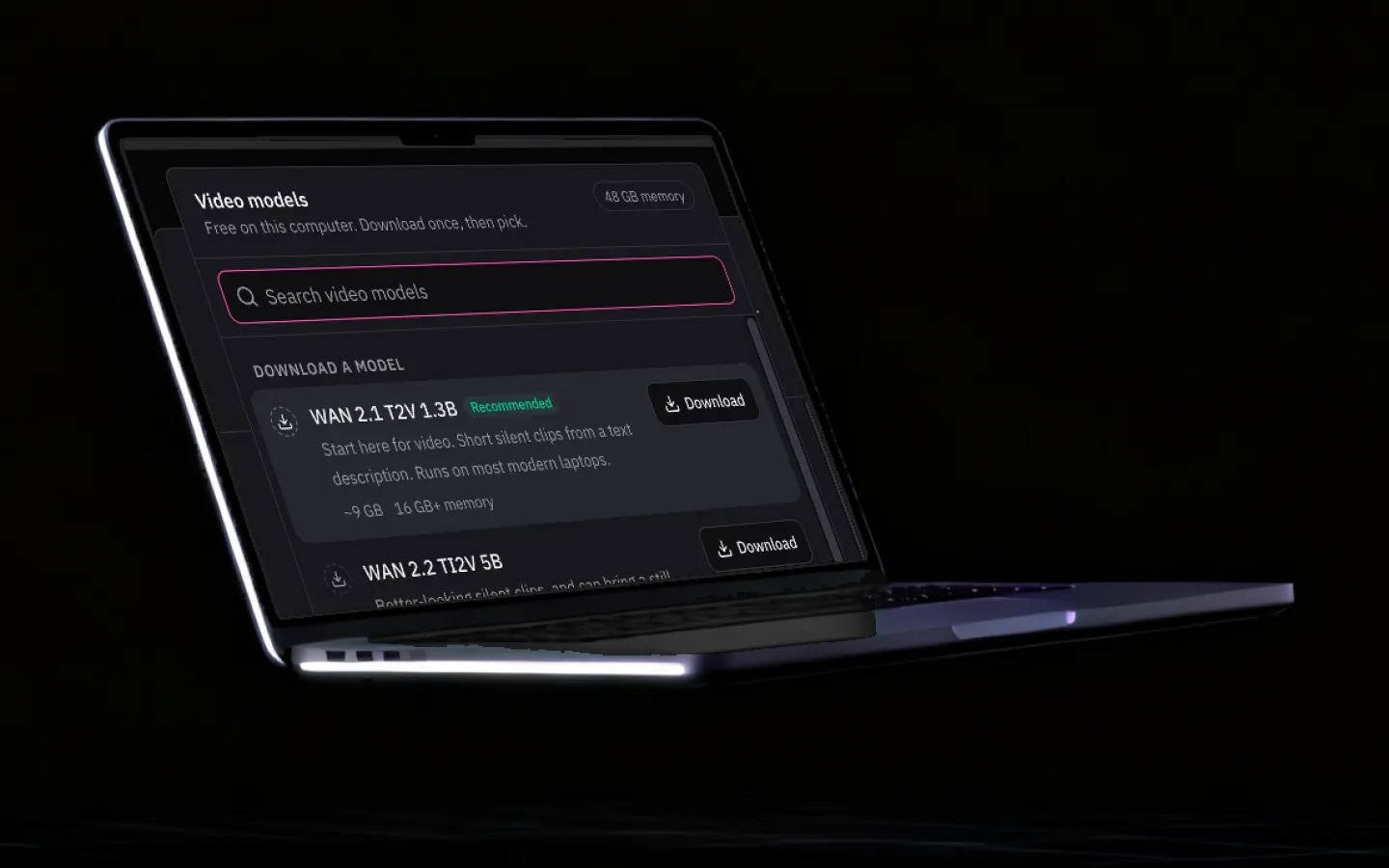
Offline AI that never uploads your work.
Grout downloads AI models once and then runs them on your own machine. No request leaves the device, nothing is metered per prompt, and the studio keeps working when the school Wi-Fi does not.
Updated
Why on-device matters
Six things change the moment the model moves from someone else’s server onto your desk.
Works with the network off
A filtered school Wi-Fi, a train, a power cut in the middle of exam week — none of them stop the studio once models are downloaded.
Nothing leaves the device
Prompts, photos of homework, drafts and code stay on the machine. There is no upload to inspect, no retention window to argue about, and no training on student work.
No per-prompt cost
Local inference is paid for in electricity, not tokens. A class of thirty can iterate as much as it wants without a shared rate limit or a bill that scales with curiosity.
Low latency, no queue
A local model answers in the time your machine takes, not the time a shared server takes at 9am when every school in the timezone starts at once.
A smaller compliance surface
No third-party processor in the chain makes the data-protection review for a school dramatically shorter.
Portable by default
The studio and its models travel with the laptop. Fieldwork, a flight, a rural campus with 3G — the capability does not change.
How offline AI actually works
A cloud AI tool is a thin client. You type, the text is sent to a data centre, a very large model computes a reply, and the reply comes back. Your device does almost nothing, which is why the tool needs a network and a billing relationship.
On-device AI moves the model to you. The weights — the numbers that encode what the model knows — are downloaded once as a file, typically somewhere between a few hundred megabytes and a few gigabytes depending on size and quantisation. From then on your CPU, GPU or Apple Silicon neural engine does the computation directly.
The trade you are making
Local models are smaller than frontier cloud models, so there are hard reasoning problems where a cloud model still wins. What you get in exchange is meaningful:
- Availability that does not depend on anyone else’s uptime.
- Privacy that is structural rather than promised in a policy.
- Cost that is fixed instead of proportional to usage.
- Latency measured by your own hardware, with no queue at peak school hours.
Quantisation, in one paragraph
Model weights are usually stored at reduced precision — 4-bit or 8-bit instead of 16-bit — which shrinks the file and the memory needed to run it, at a small and usually unnoticeable cost in quality. This is the single technique that makes a capable model fit on a school laptop. Grout picks the quantisation for your machine so you do not have to learn any of this to use it.

What runs on what
A rough guide. Grout detects your machine and suggests what it can handle.
| Machine | Text models | Vision & images | Video export |
|---|---|---|---|
| School laptop, 8 GB RAM | Small models, fast | Vision OCR, light generation | 1080p, slower |
| Modern laptop, 16 GB RAM | Small and medium models | Full vision, image generation | 1080p, comfortable |
| Apple Silicon or discrete GPU | Large models | Fast generation and upscaling | 4K, hardware accelerated |
School laptop, 8 GB RAM
- Text models
- Small models, fast
- Vision & images
- Vision OCR, light generation
- Video export
- 1080p, slower
Modern laptop, 16 GB RAM
- Text models
- Small and medium models
- Vision & images
- Full vision, image generation
- Video export
- 1080p, comfortable
Apple Silicon or discrete GPU
- Text models
- Large models
- Vision & images
- Fast generation and upscaling
- Video export
- 4K, hardware accelerated
Local inference uses the battery harder than a browser tab. Plug in for long generation runs.
Frequently asked questions
What is offline AI?
Offline AI means the model itself runs on your own computer rather than on a remote server. You download the model weights once, and every prompt after that is computed locally by your CPU or GPU. No request leaves the machine, so the tool keeps working with the network disconnected.
Is offline AI as good as ChatGPT?
For the work students actually do — summarising, explaining, outlining, extracting text from an image, generating a diagram, writing a small program — a good local model is genuinely competitive, and it answers instantly with no quota. The largest frontier models still hold an edge on long, hard reasoning chains. Grout handles that split honestly: local by default, with optional Premium cloud models via Merits when a task really needs one.
What hardware do I need to run AI offline?
A mid-range laptop from the last few years is enough for the small and medium models. Grout detects the machine and recommends model sizes that will run comfortably on it, so a school laptop gets a usable studio rather than an error message. More RAM and a discrete GPU or Apple Silicon unlock the larger models and faster image generation.
Do offline AI models need to be downloaded first?
Yes — a model needs to be fetched once, which does require a connection. After that it is a file on your disk and works indefinitely offline. Schools often pre-download the models onto a laptop image so devices arrive ready.
Is offline AI safer for children’s data?
Structurally, yes. The main privacy risk with cloud AI is that a child’s work is transmitted to and stored by a third party. On-device inference removes that transfer entirely, which is why it is the easier posture to defend to parents and to a data-protection officer.
Can I run offline AI on a low-end PC or laptop?
Yes, within limits. Grout runs on Windows 10 or later (64-bit) and macOS 10.15 or later with 8 GB of RAM and 4 GB of free disk space, plus room for each model you download. On 8 GB, stay with the smaller text models and run one at a time; 16 GB runs mid-sized models comfortably. Grout detects the machine and suggests model sizes it can handle.
Is there offline AI for Windows 10 and Windows 11?
Yes. Grout installs on Windows 10 or later (64-bit), including Windows 11, and on macOS 10.15 or later on Apple Silicon or Intel. The inference servers ship inside the installer, so there is no Python or CUDA setup. There is no Linux build today.
How is offline AI used in education?
Students use it to read and summarise their own notes and textbooks, get step-by-step explanations, practise coding and make project media without a connection. Teachers use it to prepare material and to mark scanned handwritten answer sheets on their own computer. Schools choose it because it keeps working on filtered or unreliable networks.
Run the models on your own machine
Download once, then work offline for as long as you like. No quota, no upload.
Download Grout free