

An AI teacher for students
that talks, draws and listens.
AI Teacher sits with one student at a whiteboard and teaches a topic out loud, the way a good private tutor does. It draws as it explains, stops when the student cuts in, looks at their notebook through the camera and checks they really understood before moving on. It teaches from the student's own syllabus, and every account starts with 30 free minutes.
Updated
- free with every Grout account
- 30 minfree with every Grout account
- one student, one teacher, one whiteboard
- 1 : 1one student, one teacher, one whiteboard
- voice conversation you can interrupt
- Livevoice conversation you can interrupt
- inside GroutApp on your own computer
- Win · Macinside GroutApp on your own computer
See AI Teacher at work
A short film for parents, and a real lesson recorded straight from the app.
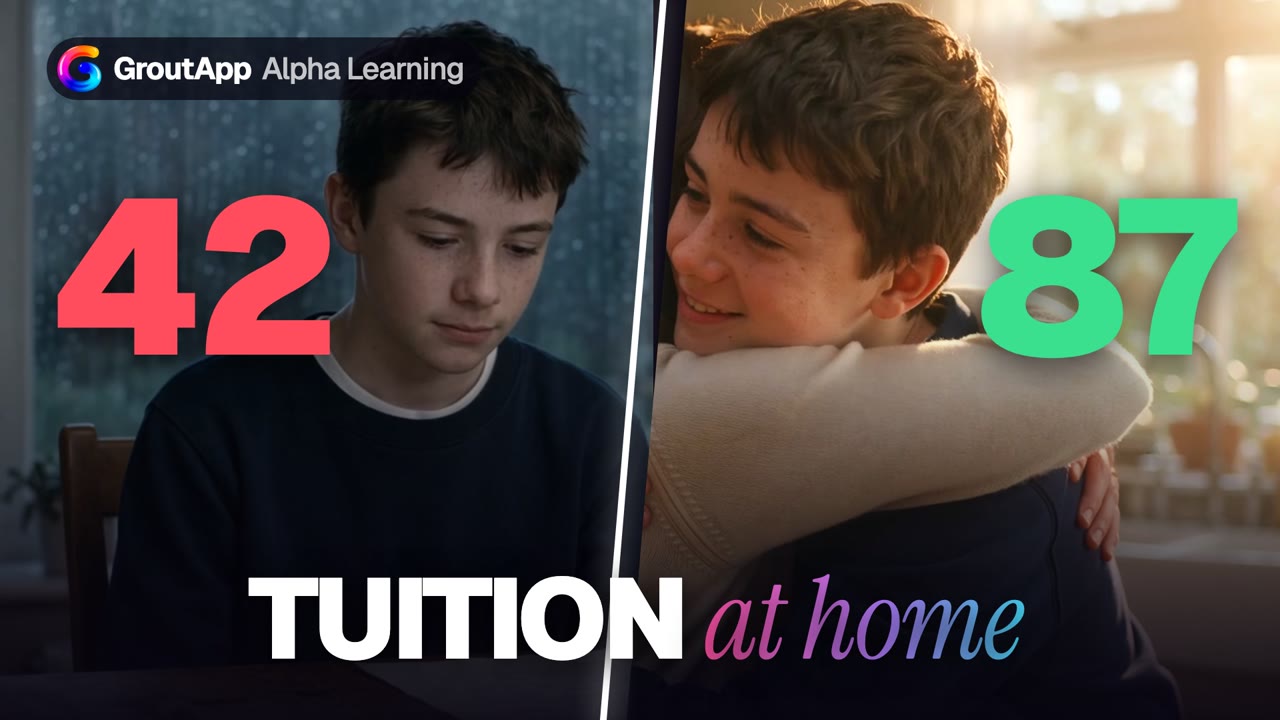
From 42 to 87: the night Mum brought the tutor home
A report card, a tired student and a parent who chose tuition at home instead of another class across town. Fifty-two seconds on what AI Teacher changes for a family.
This film is a dramatisation: the characters, visual effects and music were made with AI and the marks are part of the story, not a promised result. The app screens are real.
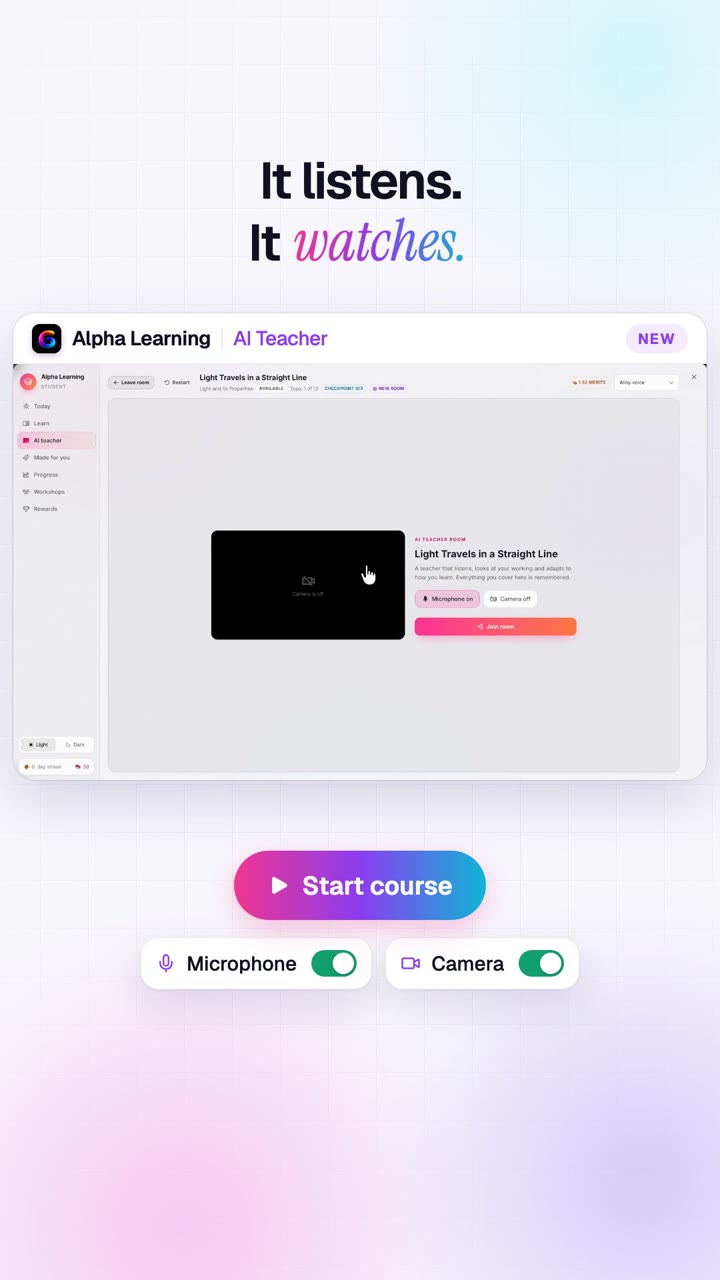
A real lesson: why light travels in a straight line
Screen-recorded in GroutApp. The teacher builds the lesson on the board, asks, listens, corrects a wrong answer gently and closes with a checkpoint quiz.
What a lesson with AI Teacher looks like
Not a chatbot with a voice. A tutor that runs the lesson, watches how the student is doing and changes course.
It teaches out loud
The student talks and the teacher talks back, in short turns, like a person. No typing, no walls of text. If they would rather type, the chat sits beside the board.
It draws as it explains
Every new idea gets its own picture on a shared whiteboard: diagrams, labelled sketches, formulas and graphs. The teacher points at the parts it is talking about.
Stop it and ask
A doubt in the middle of a sentence? The student just speaks. The teacher stops, answers that exact question, and carries on from where they were.
It looks at real work
With the camera on, the student can hold up a notebook page or an object. The teacher looks at what is actually there and responds to it, and can mark a page of written working.
The student does things
Every few minutes the teacher hands over: tap an answer, draw on the board, predict before it shows, or show working to the camera. Learning by doing, not by watching.
Checkpoint quizzes
Each topic ends with a short checkpoint the app marks. A wrong answer is taught again from a different angle; a right one moves the student on to the next topic.
Taught to this student
A learning profile records how they understand best, their pace and their interests. The teacher opens with an example they care about and slows down or stretches them as they answer.
It remembers
Lessons pick up where they stopped. The teacher knows earlier topics, mastery, weak prerequisites and the practice questions the student got wrong, and teaches the idea behind the mistake.
From their own syllabus
AI Teacher teaches the curriculum the student is on in Alpha Learning: one they built from their syllabus or textbook, or one their teacher assigned.
Inside the app
Real screens from GroutApp's Alpha Learning, recorded during a lesson on light.
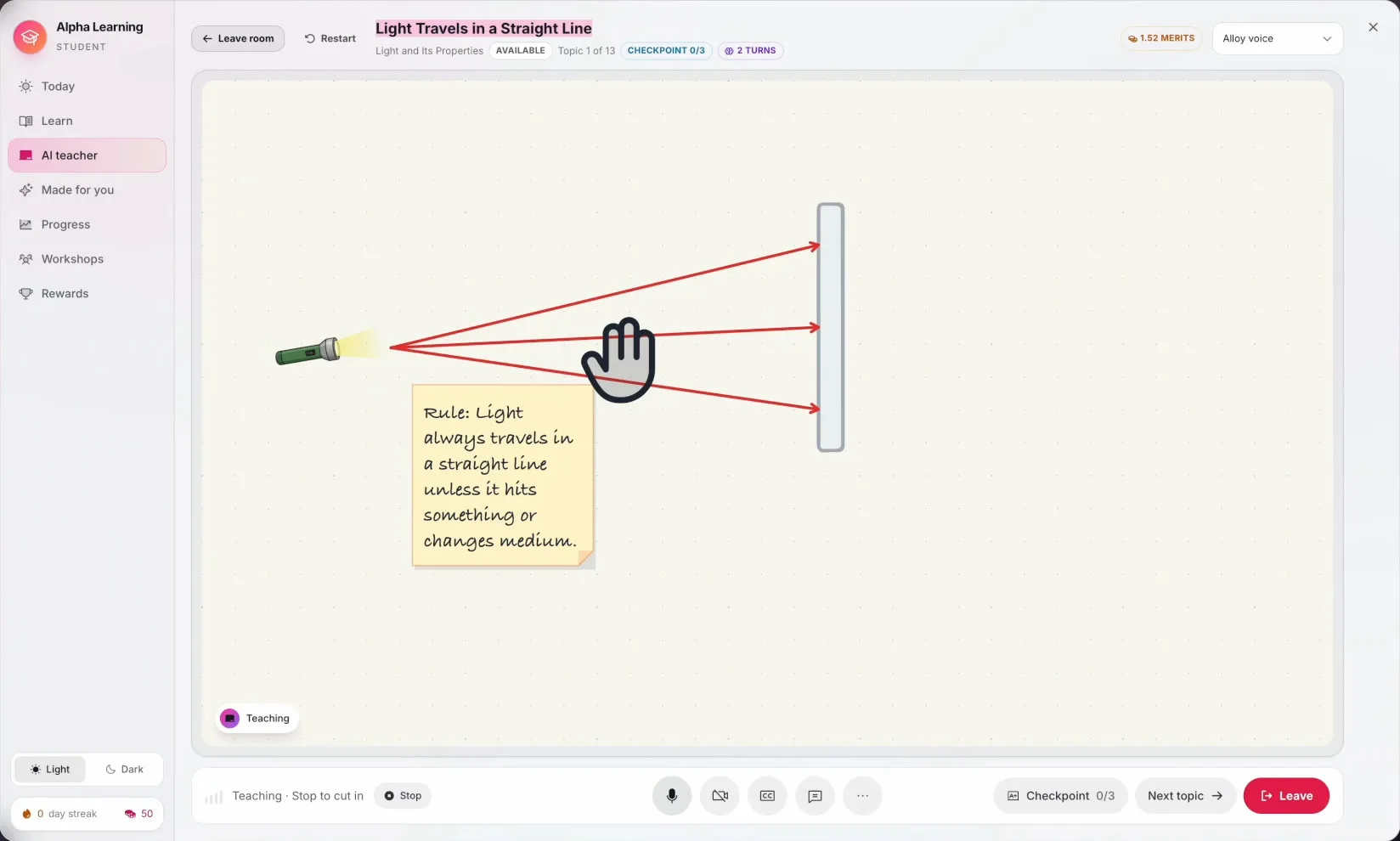
A whiteboard, not a chat window
The teacher draws the torch, the rays and the wall, writes the rule on a note and points at each part as it speaks. The student can draw on the same board.
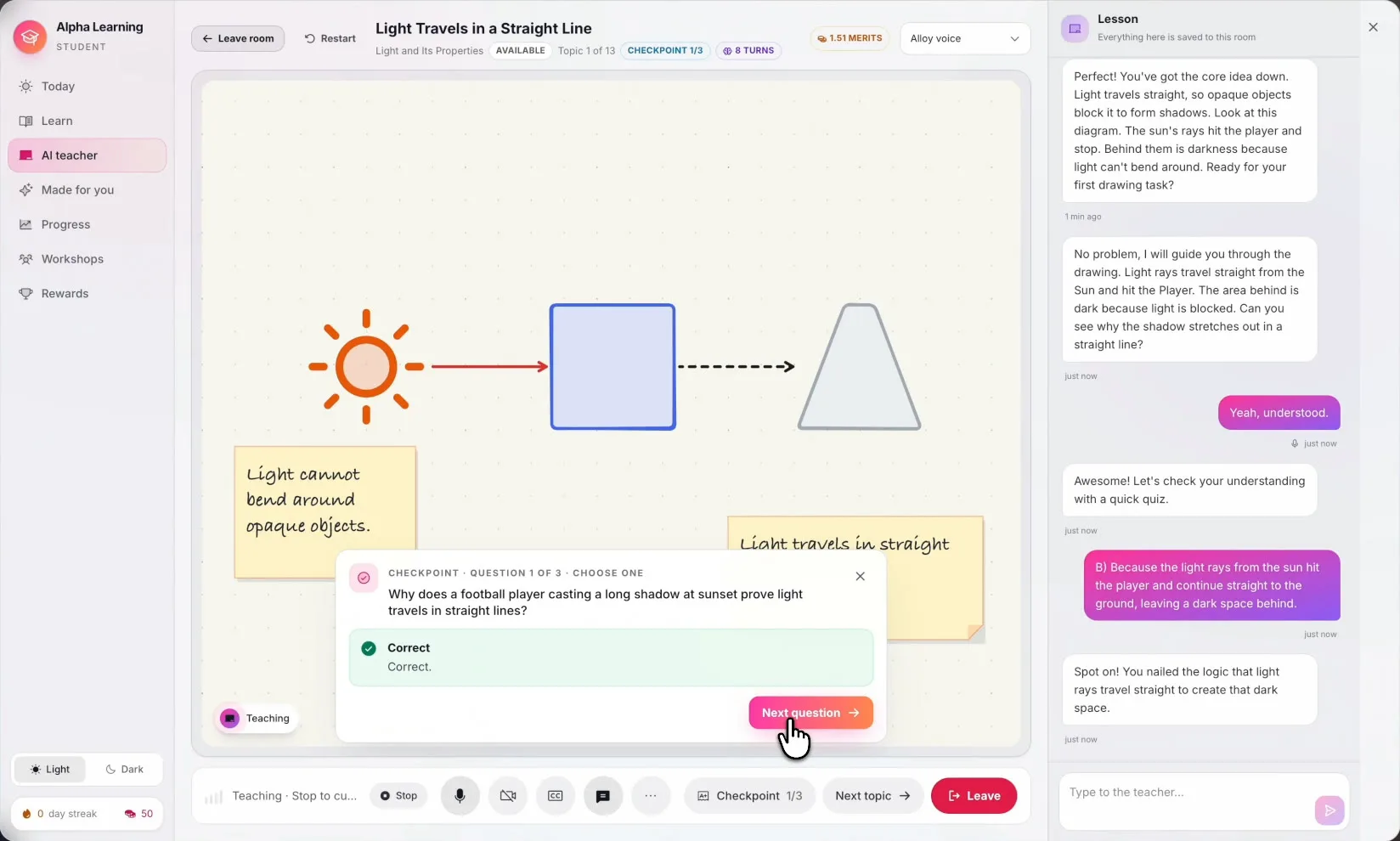
Checks they really got it
A checkpoint question appears on the board when the student is ready. The conversation on the right keeps everything said in the room.
A plan for the whole course
The teacher plans every topic in the curriculum, with goals and a checkpoint for each. The student joins a room per topic and sees what is up next.

It asks how they learn
Before the first lesson the student picks how they understand best and how they like things explained. The teacher keeps learning from their checkpoint answers.

What an AI teacher is, and what it is not
Most AI tools for students answer questions. You type, it replies, and the work of turning that answer into understanding is left to you. A teacher does the opposite: it decides what comes next, notices when you are lost, asks you to try, and does not move on until you can do it yourself.
AI Teacher is built to do the second job. It runs a lesson on one topic at a time, keeps the explanation on a whiteboard instead of in paragraphs, and hands the student a task every few minutes. It listens first, answers what the student actually meant, asks one question at a time, and if a question goes unanswered it gives a hint rather than asking again in the same words.
Where it fits next to a human teacher
AI Teacher does not replace the classroom. It covers the hours a teacher cannot: the evening before a test, the topic missed while ill, the doubt that comes up at 11 PM, the student who needs the same idea explained a fourth way. Teachers can build or assign the curriculum it teaches from, and the student's mastery shows up in Alpha Learning alongside everything else.
For parents it is tuition at home on the child's own syllabus and schedule, without the travel and without a fixed timetable. For students it is a patient tutor that never sighs at a repeated question.

Start your first lesson
- 1
Download GroutApp
Install GroutApp on Windows or macOS and sign in. A Grout account is required.
- 2
Open Alpha Learning
Pick a curriculum your teacher assigned, or build one from your syllabus or textbook.
- 3
Set your learning profile
Five quick steps on how you learn, your pace and what you are into.
- 4
Join the room
Turn on the microphone, and the camera if you like, and the teacher starts the first topic.
Frequently asked questions
What is an AI teacher for students?
An AI teacher runs a lesson rather than answering one-off questions. In GroutApp, AI Teacher teaches a topic out loud at a whiteboard, draws as it explains, asks the student to answer, draw or show their work, and checks understanding with a checkpoint quiz before moving to the next topic.
Is the AI teacher free?
Every Grout account starts with 30 free minutes with AI Teacher. After that, lesson time can be added from inside the app, or a student can run lessons on their own Google Gemini API key, in which case Google bills their key and no Grout lesson time is used.
Can the AI teacher talk to me?
Yes. Lessons are a live voice conversation. You speak, the teacher speaks back in short turns, and you can interrupt at any point to ask a doubt. You can also choose the teacher's voice, or type instead of talking.
Which subjects and classes does it teach?
AI Teacher teaches whatever curriculum the student is on in Alpha Learning. Curricula can be generated from a board, grade and subject, from a pasted syllabus, or from the student's own textbooks and notes in AI Memory, so it is not limited to a fixed list of courses.
Is it suitable for kids?
It is designed for school and college students and adapts its pace, examples and language to the learner profile. Parents of younger children should sit in on the first lessons; the teacher never comments on how a learner looks and stays on the lesson.
Does AI Teacher work offline?
No. The live lesson needs an internet connection, because the teacher runs on Google's Gemini Live model. GroutApp's on-device voice tutors and local models do work offline. See the offline AI teacher page for exactly what works without Wi-Fi.
Can the AI teacher replace a real teacher?
It is not meant to. It covers one-to-one time that a classroom teacher cannot give every student, such as revision, catching up and late-night doubts. Teachers can assign the curriculum it teaches from and see each student's mastery in Alpha Learning.
Which devices does it run on?
AI Teacher is part of GroutApp for Windows and macOS. There is no Linux build and no phone app for it. A microphone is needed; a camera is optional.
What happens to the lesson audio?
During a live lesson the conversation is processed by the AI provider that runs the teacher (Google Gemini) through Grout's relay, or directly on your own Google key if you chose that. Microphone noise cancellation runs on your computer. If audio must never leave the device, use GroutApp's offline voice tutors instead.
Bring the tutor home tonight.
Download GroutApp for Windows or Mac, open Alpha Learning and start with 30 free minutes of AI Teacher.
Download GroutApp