
Teaching
AI whiteboard tutor: a teacher that draws as it explains
An AI whiteboard tutor draws and labels as it explains, sees your working through the camera, and lets you draw back for real-time maths and science teaching.
Anish Menon · CEO & Founder, Grout
· 5 min read
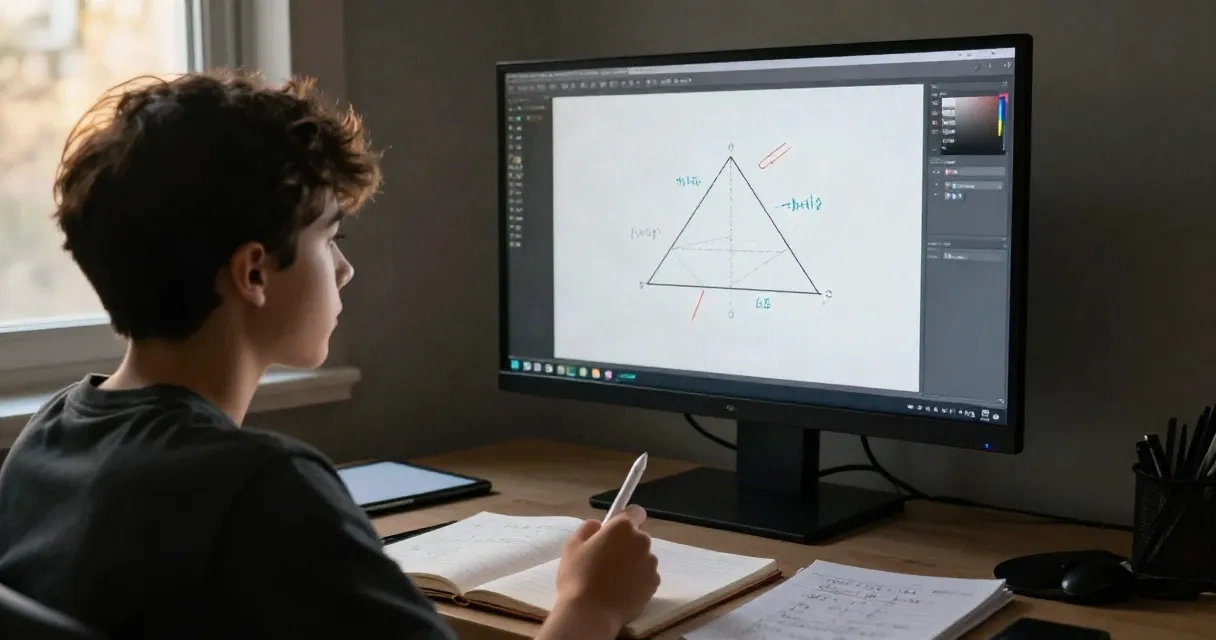
An AI whiteboard tutor is software that teaches by drawing and talking at the same time, simulating a one-on-one session with a human tutor at a shared board. It sketches diagrams, labels steps and watches you work, making explanations visual and interactive rather than purely text-based.
The format matters because many topics in maths, physics, engineering and computer science are hard to follow in a wall of text. A derivative makes sense when you see the tangent line drawn on the curve. A linked list clicks when the pointers are sketched out. A free-body diagram explains forces better than a paragraph ever could. A whiteboard tutor draws those diagrams as it talks, stops when you interrupt and lets you scribble back.
What a whiteboard adds over a text chatbot
A text chatbot can write out an explanation, but you have to hold the diagram in your head or sketch it yourself. A whiteboard tutor draws it for you in real time, pointing to parts of the diagram as it speaks. That means you see the steps build up, not just the final picture.
The second difference is that you can draw back. If you are stuck halfway through a proof, you can sketch what you have so far on the board, and the tutor sees it and continues from there. If you prefer to solve a problem by hand, you can hold your notebook up to the camera and the tutor reads your working, spots the mistake and nudges you without giving away the answer.
Third, a whiteboard session feels more like a conversation. The tutor pauses every few minutes and asks you to predict the next step, tap an answer or show your working. That back-and-forth keeps you engaged in a way that scrolling through a chat log does not.
How Grout AI Teacher works
Grout AI Teacher sits with one student at a shared whiteboard and teaches one topic at a time out loud. It runs on Google Gemini Live, so it needs an internet connection. You pick a topic from your syllabus, the tutor introduces it, then draws and explains. It pauses when you cut in, so you can ask a question or point out where you are lost.
Every few minutes it hands over: tap an answer on the board, draw your own diagram, predict the next step before it shows you, or hold your notebook to the camera so it can see your working. It checks understanding with short checkpoint quizzes as you go, and adjusts if you are struggling.
The tutor teaches from your own syllabus, whether that is A-level maths, CBSE physics, KTU engineering or VTU lab theory. Every account starts with 30 free minutes. It works on Windows and macOS.
Because it runs on a cloud model, it handles open-ended questions and follows your tangents better than a fully offline tutor can. The trade-off is that you need a connection for every session. For offline practice with voice but no whiteboard, Grout's on-device voice tutors are the alternative, and they work without internet once the model is downloaded.
When a whiteboard tutor helps most
A whiteboard tutor is most useful when the subject is visual and you are working alone. Calculus, coordinate geometry, mechanics, circuit analysis, algorithm tracing, organic reaction mechanisms and technical drawing all benefit from a tutor that draws as it explains.
It is also helpful when you need to talk through your own solution. If you have solved a problem on paper and want to know where you went wrong, you can show your notebook to the camera and the tutor reads it, finds the error and explains it without handing you the answer.
The format is less useful for subjects that are mostly reading and recall, like history or literature, where a text chatbot or a structured AI teacher for students that focuses on practice and feedback is often a better fit.
Limits compared to a human tutor
A whiteboard AI tutor is not a full replacement for a human teacher. It cannot adapt its entire teaching style to your personality, and it does not build a relationship over weeks that lets it notice when you are anxious or avoiding a topic. It will not chase you up if you skip sessions or hold you to a long-term plan you set three months ago.
It also cannot see the bigger picture of your workload. A human tutor knows when to slow down because you have three exams next week, or when to push because you are coasting. An AI tutor only sees the current topic.
For deep conceptual confusion, especially when you cannot even articulate the question, a good human tutor is still better. They read body language, pick up on half-formed sentences and know which analogy will land. An AI tutor gets better each year, but it still misses some of those cues.
That said, a whiteboard AI tutor is always available, costs a fraction of a human tutor's hourly rate and never gets impatient when you ask the same question three times. For routine practice, working through problem sets and getting immediate feedback on your method, it does the job.
Structured mastery learning with a whiteboard alternative
If you want a curriculum that tracks long-term progress rather than one-off topic sessions, Alpha Learning in GroutApp offers a different structure. It maps a subject as a concept graph, where each concept unlocks only when you have mastered its prerequisites. A concept is mastered when you score at least 85 per cent, answer three in a row correctly and attempt at least four practice items. Mastered concepts return for spaced review after three days, then at intervals growing 2.2 times up to 60 days.
Each concept includes three lessons (an explanation, a worked example and a summary) and eight to twelve practice items, with wrong answer options that encode real misconceptions. An AI tutor gives hints, up to twelve per session by default, but never the final answer. A teacher (called a Guide) sees class mastery, minutes, streaks and who is stuck or below pace, and can commission a custom version of a topic for one student while keeping the same syllabus scope and rigour.
Alpha Learning is available now on GroutApp institution subscriptions for schools, colleges and institutes, and is coming soon to individual plans. It is not an offline feature and requires a connection. Daily plans use 25-minute blocks with five-minute breaks.
Choosing the right tool
Use a whiteboard tutor when you need to see the working drawn out, when you want to show your own solutions for feedback, or when the topic is inherently visual. Use structured mastery learning when you want a syllabus mapped out, spaced reviews and progress tracking over weeks. Use a human tutor when you need someone to notice patterns across sessions, adapt to your mood and hold you to long-term goals.
Most students will use a mix: a whiteboard AI tutor for daily problem-solving, a structured system for long-term retention and a human tutor for the hard conversations and the moments when you cannot figure out what you do not understand.