
Technical
An offline AI learning app for Windows laptops
Grout runs AI study tools, coding labs and video editing on Windows 10 and 11 without internet once installed, using local models on your own laptop.
Anish Menon · CEO & Founder, Grout
· 5 min read
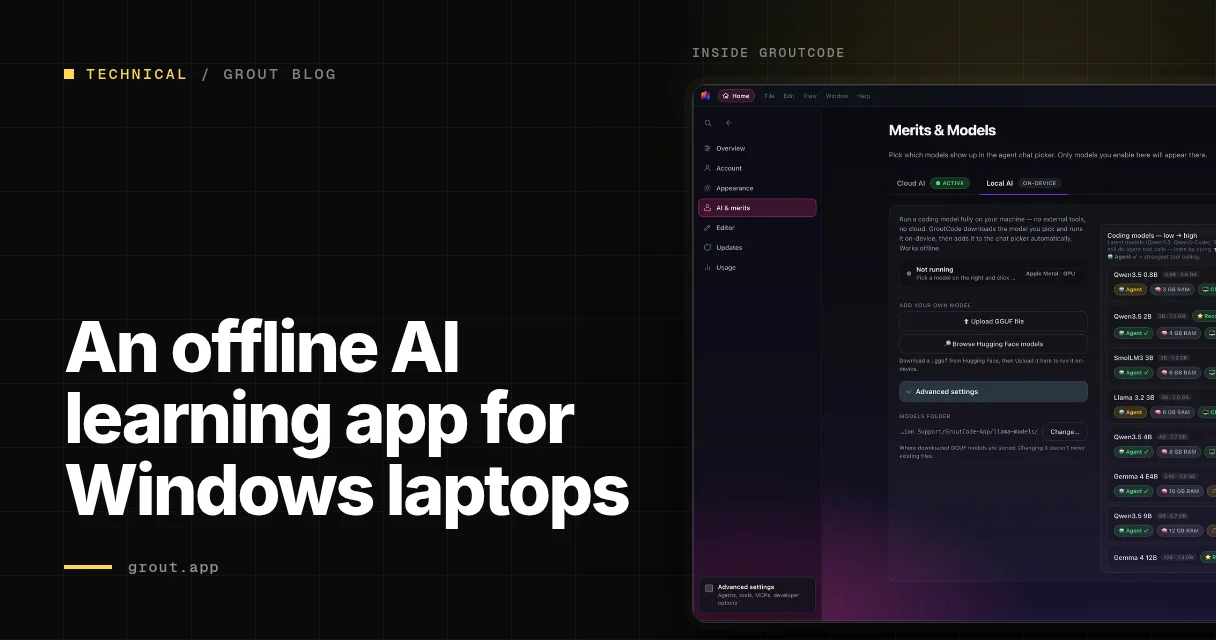
Grout is an offline AI learning suite that installs on Windows 10 and Windows 11 laptops and runs all its core tools without an internet connection once the initial models are downloaded. It combines three applications (GroutApp for study and vision tasks, GroutCode for programming with compiler-checked practicals, and GroutFilm for video and audio work) on a single subscription, with the inference servers bundled into the installer so you avoid Python configuration or CUDA driver struggles.
The main constraint is RAM. A laptop with 8 GB can run the smaller text models one at a time, which is enough for essay feedback, summarising textbook chapters and answering factual questions. If you have 16 GB, the mid-sized models load comfortably and handle more complex reasoning. An NVIDIA GPU accelerates the larger models and image-generation tasks, but integrated graphics will still run the text models at usable speed for homework and revision.
What you get after installation
The Windows installer is a single executable. When you run it, Windows SmartScreen may display a warning because the file is not yet widely recognised; click More info, then Run anyway. The installer unpacks the inference servers, model weights and application binaries onto your drive. Once that finishes, you open GroutApp, GroutCode or GroutFilm from the Start menu. Each tool works offline immediately for the models already cached; if you want a different model, you connect to the internet once, download it through the in-app library, then disconnect.
GroutApp is the study hub. You upload your own PDFs, Word documents or images of textbook pages, and the app builds a searchable index using vision models that read diagrams, tables and handwriting. You then ask questions, request practice problems or generate flashcards, and the AI answers using only your uploaded material. Because everything runs on your laptop, your textbooks and notes never leave the device.
GroutCode is the programming studio. It includes 1,322 compiler-checked lab practicals across 32 syllabuses, including KTU, VTU, Calicut University, CHRIST, CBSE and CISCE, covering C, C++, Python, Java and data structures. You write code in the editor, the local AI suggests corrections or explains errors, and the compiler checks your work without needing an internet connection. The feedback is immediate, so you can iterate through a problem set in one sitting even if your Wi-Fi is off.
GroutFilm handles video and audio. You import footage, and the app transcribes speech, generates subtitles and suggests edits: again, entirely offline. It is useful for coursework that involves presentations or documentary projects, and it keeps your raw footage on your own machine rather than uploading it to a cloud service.
A realistic first week
On day one, install Grout and connect to the internet long enough to download the base text model and the vision model. That takes between ten and thirty minutes depending on your connection. Once the downloads finish, open GroutApp and upload a PDF of the chapter you are studying this week: say, a biology textbook section on cell division. The vision model scans the pages, indexing text and diagrams.
Disconnect from the internet. Ask GroutApp to summarise the chapter in bullet points. Read the summary, then ask follow-up questions: "Explain the difference between mitosis and meiosis," or "What happens during prophase?" The AI answers by pulling sentences and diagrams from your uploaded PDF, so the information matches your syllabus. If the answer is unclear, rephrase the question or ask for an example. This takes about twenty minutes and gives you a working overview without copying out notes by hand.
On day two, generate five practice questions on the same chapter. GroutApp writes the questions, you answer them in a separate document, then paste your answers back and ask the AI to check them. It will point out errors or missing details, referencing the textbook sections you should revisit. Spend thirty minutes on this. The cycle of question, attempt and feedback is faster than waiting for a teacher to mark written work, and you can repeat it as many times as you need.
On day three, open GroutCode. Choose a lab practical from your course: perhaps writing a C program to implement a linked list. Read the problem statement, write your solution in the editor, then compile. If the code fails, the AI reads the error message and suggests what to fix: a missing semicolon, an incorrect pointer dereference, a logic flaw in your loop. Compiler feedback is instant, and the AI's hints are specific to your code, not generic web search results. You finish the practical in one session instead of waiting for lab hours.
On day four, return to GroutApp and create flashcards from your biology chapter. The app generates twenty cards with terms on one side and definitions on the other, drawing from the textbook. Review the deck twice: once in the evening, once the next morning. The spaced repetition happens on your laptop, so you can study on a train or in a library without needing a connection.
By day five, you have summarised a chapter, answered practice questions, corrected your answers, written and debugged a program, and built a flashcard deck, all offline. The AI learning studio handles each task locally, so patchy internet or data caps do not interrupt your work. On day six, if you have a presentation to prepare, open GroutFilm, record a practice run, let the app transcribe it, then review the transcript to spot sections where you hesitated or rushed. Edit those sections and record again.
When offline models fall short
Local models are smaller than the cloud services that run on vast clusters, so they make more mistakes on ambiguous questions or tasks that require broad world knowledge. If you ask GroutApp to compare historical events it has not seen in your textbooks, the answer may be vague or wrong. If you ask GroutCode to write a complex algorithm from scratch, the suggestion may compile but perform poorly. The trade-off is privacy and availability: your data stays on your laptop, and you can work without waiting for a server.
For subjects that rely heavily on up-to-date information (current affairs, recent case law, live scientific datasets), you will still need internet access to fetch primary sources. Grout does not replace research; it accelerates the study tasks you do with material you already have.
Getting started
Check that your laptop meets the requirements: Windows 10 or later, 64-bit, at least 8 GB of RAM. An NVIDIA GPU is optional but helpful for image tasks and larger models. Visit the download page, run the installer, wait for the setup to complete, then download the models you need while connected. After that, all three apps function without an internet connection. If you want more detail on how the offline AI architecture works, the documentation explains which models run on CPU, which benefit from a GPU, and how to manage disk space as you add more textbooks and projects.
The result is a study routine that does not depend on cloud availability, data allowances or institutional logins. You install once, download models once, then study, code and edit whenever you open your laptop.