
Guides
A personalised AI tutor for your child: a checklist
Choosing a personalised AI tutor for kids? Use these six questions and a 30-minute home test to check syllabus fit, adaptation and understanding.
Anish Menon · CEO & Founder, Grout
· 7 min read
A personalised AI tutor for kids is worth paying for only if it teaches from your child's own syllabus, changes how it explains when something does not land, and checks understanding before it moves on. Here are six questions that work for any product, followed by a 30-minute test you can run at home before you commit.
Most tutor products demonstrate well. A child asks a question, a fluent answer appears, and everyone is impressed. The questions below are about what happens in the second week, when the topic is harder and the child is tired.
How to judge a personalised AI tutor for kids
1. Does it teach from your child's syllabus and textbook?
A tutor that explains fractions in general is not the same as one that follows the chapter your child's class is on this month. Ask where the course comes from. Good answers include a board, grade and subject; the official syllabus pasted in; or the child's own textbook and notes loaded into the tool.
Check that answers point back to the source. If the tutor cannot say which page or section it is using, you cannot tell whether it matches what the school teaches.
2. Does it adapt how it explains?
Personalisation that only inserts the child's name is decoration. Real adaptation means the explanation changes: a picture instead of a paragraph, a worked example instead of a definition, a smaller step after a mistake. Ask what the tutor knows about your child and how that knowledge changes the lesson.
Also ask whether the child can say what they find hard. A tutor that never learns this will keep repeating the same explanation in louder words.
3. Does it check understanding instead of handing over answers?
This is the question that matters most. A tool that solves every homework problem on request makes a child feel productive while learning nothing. Look for short quizzes during the lesson, questions that make the child explain a step, and a refusal to move on until a step is secure.
4. What can you see as a parent?
You do not need a transcript of every sentence, and a child who knows every word is read may stop asking honest questions. You do need to know how long they used it, what topics they covered and whether they are making progress. Ask what the product shows a parent and what it deliberately does not.
5. What does it cost per hour?
Divide the price by the hours your child will realistically use it. Find out whether time is metered, whether a free trial is measured in minutes or days, and what happens when the free period ends. A cheap plan that the child uses twice a month is more expensive than it looks.
6. What data leaves the house?
Ask whether the tutor runs on your computer or over the internet, and which parts do which. A live voice lesson with a camera almost always runs through a remote service. That is not automatically a problem, but you should know it before the child starts, and you should read the provider's privacy terms for children's data yourself.
A 30-minute test before you subscribe
Pick one topic your child is currently stuck on, not an easy one. Then run the session in this order.
- Minutes 0 to 5: set up the course from the child's real syllabus or textbook chapter. Note how much effort that takes.
- Minutes 5 to 20: let the child learn the topic. Sit nearby and say nothing unless they are stuck.
- Minutes 20 to 25: ask the child to give a wrong answer on purpose, or answer honestly when unsure. Watch whether the tutor simplifies or just repeats.
- Minutes 25 to 30: ask your child to teach you the topic. If they can explain it in their own words, the tutor did something. If they can only repeat its phrases, it did less.
Do the same with a second product if you are comparing. The difference shows up in the wrong-answer step far more than in the polished first minutes.
How Grout's AI Teacher answers these questions
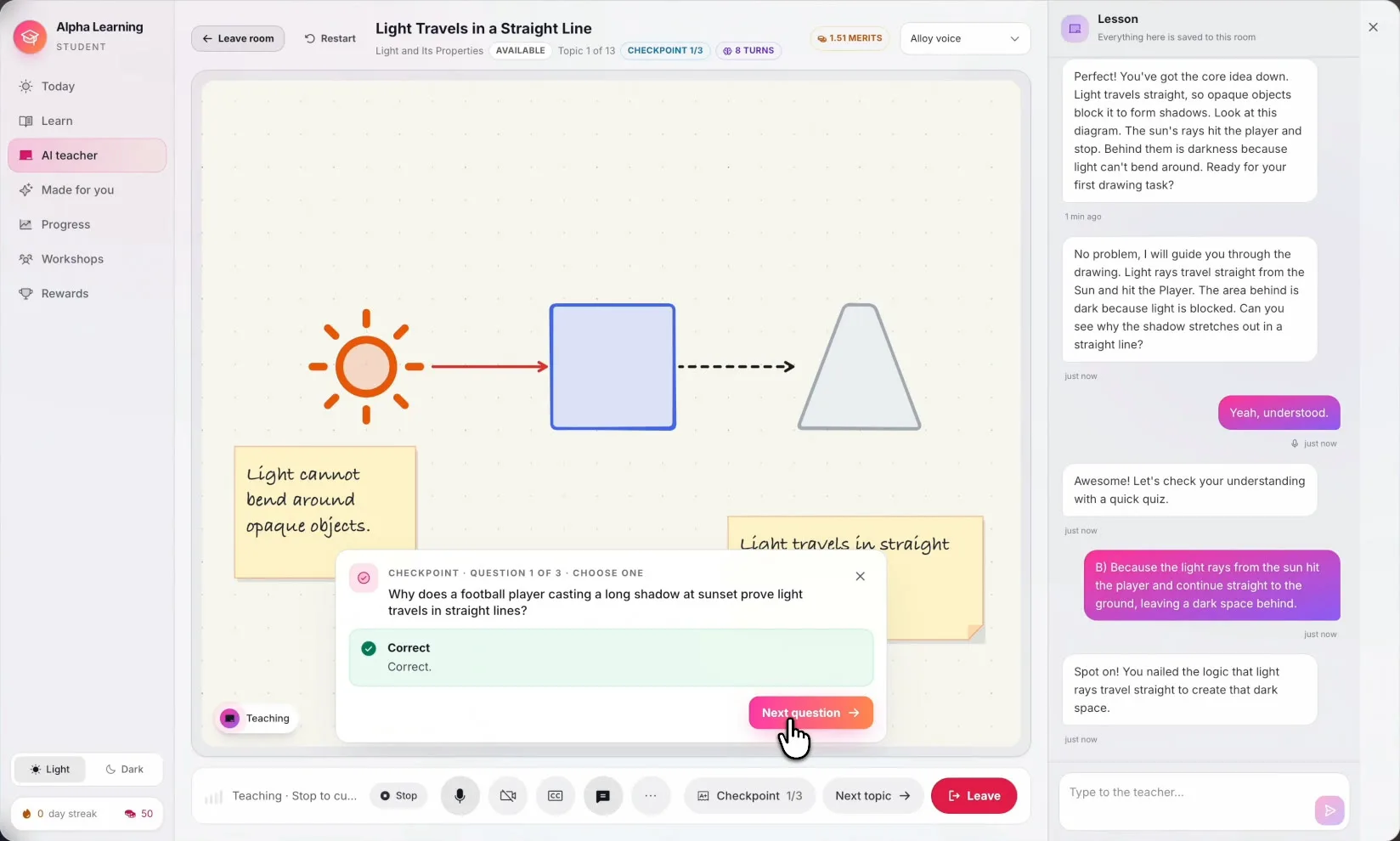
Grout's AI Teacher, part of GroutApp, is a live teacher at a shared whiteboard. It takes one student and one topic at a time, draws each picture part by part as it names the parts, and stops when the child cuts in. The AI Teacher for students page covers the lesson format in more detail.
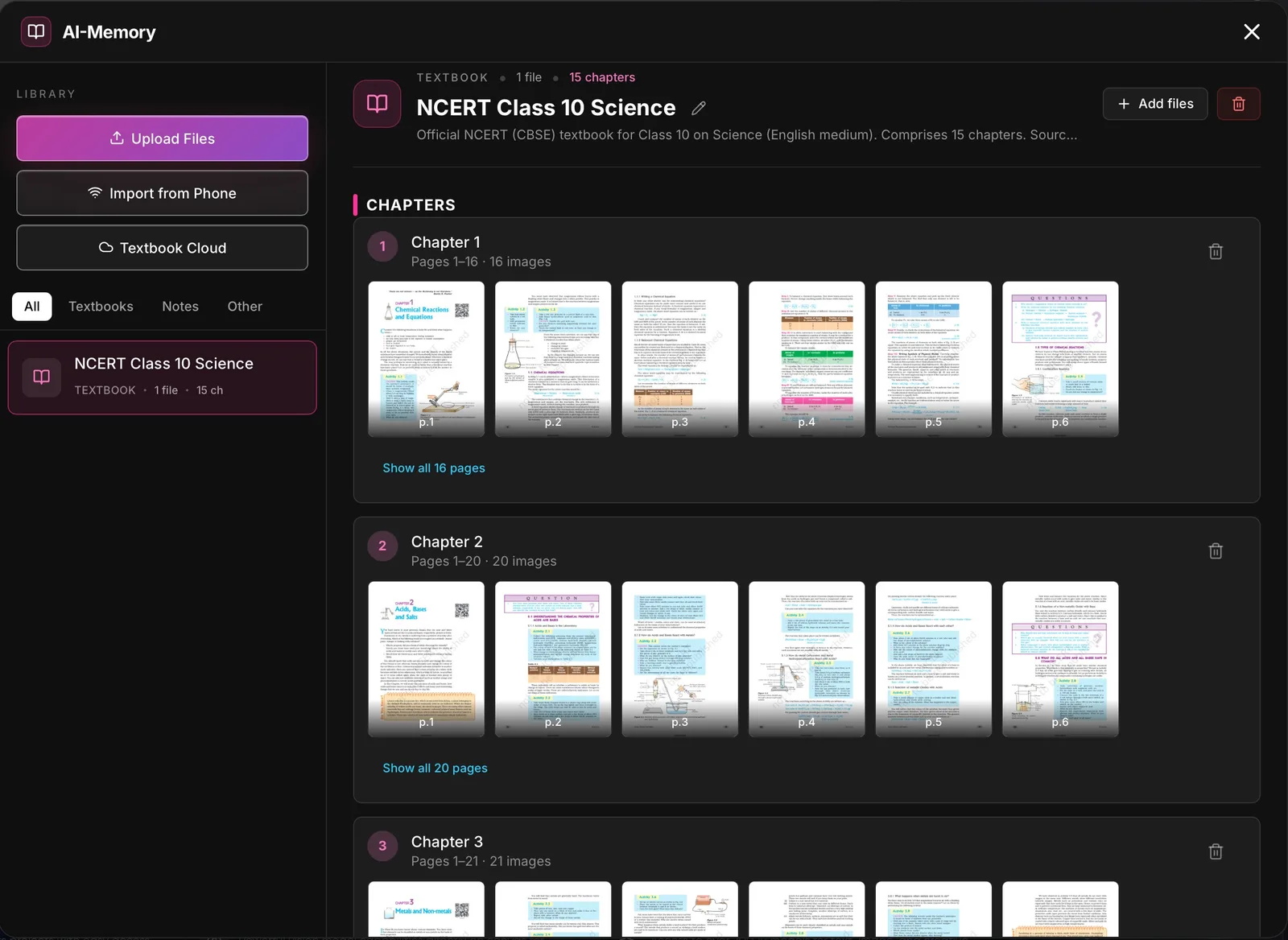
On the syllabus question, the curriculum can be generated from a board, grade and subject, pasted from the official syllabus, or built from the child's own textbooks and notes. For the last route you add the book to AI Memory as a PDF or photos of pages. It is indexed on the computer, answers cite the pages used, and chapters added there become the teacher's course material.
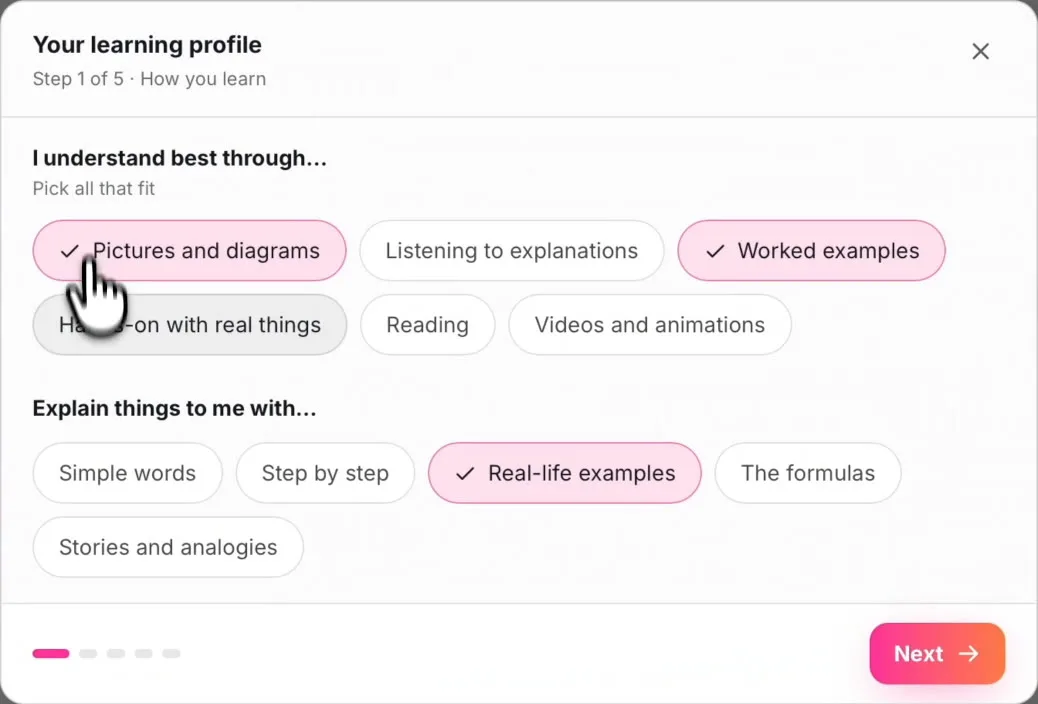
On adaptation, the student fills in a five-step learning profile. It covers how they understand best (pictures, listening, worked examples or stories), the interests used for examples (cricket, football, music or space), their pace and attention span, and what they find hard. There are also eight teacher voices to choose from, which matters more than it sounds for a child who dislikes one particular tone.
On checking understanding, the teacher runs checkpoint quizzes during the lesson. When an answer is wrong twice, it takes smaller steps rather than repeating the same explanation. The lesson language is chosen in the room from 100 languages, including Hindi, Tamil, Telugu, Bengali, French, Spanish and German, and the teacher stays in it.
A teacher can also write a curriculum for one child. The custom AI teacher page explains how that works.
What you can see, what it costs, what leaves the house
In Grout, a guardian can be linked to one student and sees progress, screen time and AI usage, but not the conversations. How that is set up is described on the screen time and parental controls page.
On cost, every account starts with 30 free minutes of AI Teacher, which is enough to try it on a single topic. Grout itself is a paid yearly subscription with a free download to try. I cannot give you an hourly figure here, so work it out from the current plan and your child's real usage.
On data, be clear about the trade-off. AI Teacher runs on Google Gemini Live and needs an internet connection, so a live lesson, including voice and the camera view of the notebook, goes over the network while it runs. Signing in and activating the licence also need a connection. Other tools in GroutApp, such as AI Memory and the on-device voice tutors, run on the computer after a one-time model download. Grout runs on Windows 10 or later and macOS 10.15 or later only, so there is no tablet or phone version.
When a human tutor is still the better choice
An AI tutor is patient, available at 9 p.m. and does not mind the fifth repeat of the same question. It is weaker in several situations, and you should not paper over them.
- A child who has lost confidence. A person notices the sigh, the slumped shoulders and the "I'm just bad at this". A tool mostly sees the answers.
- A suspected learning difficulty. Dyslexia, dyscalculia or attention problems need a qualified person, not a better explanation.
- Exam technique for a specific board. A teacher who has marked many scripts knows what examiners reward. Check mark schemes and exam rules with your child's teacher or board, not with software.
- Young children. A very young child learns from an adult's attention. A screen should not replace it.
Treat an AI tutor as extra practice between human lessons, not a substitute for them. No tutor of either kind can promise marks, and you should be suspicious of any product that does.
Your next step
Choose one topic your child finds hard this week and write the six questions above on a sheet of paper. Run the 30-minute test with one tool, tick or cross each question, and only then decide. If you want to try Grout for it, download it, add the textbook chapter to AI Memory, and use the 30 free AI Teacher minutes on that topic.